
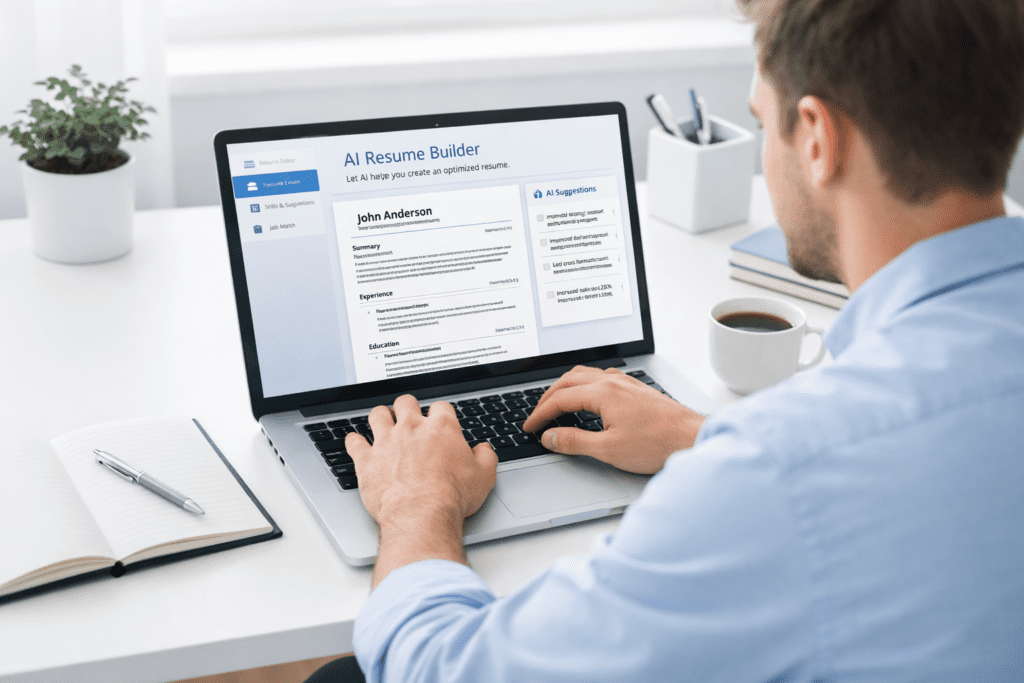
Ever stared at a blank resume and wondered where to even begin? Writing a resume from scratch can feel overwhelming, especially when you’re trying to match a job description and stand out in a competitive job search.
That’s where an AI tool for resume writing can help. Instead of guessing what to write, you can use AI to generate a resume, improve resume bullet points, and structure everything into a professional resume that actually fits the role you’re applying for.
Quick Picks: Best AI Tool for Resume Writing (2026)
If you don’t want to go through every option, here are the top picks based on different needs.
Quick Recommendation: AI Writing Tools for Bloggers Snapshot (2026)
Best Overall: Kickresume
Best for: Job seekers who want fast, high-quality resume creation with minimal effort
Best Budget Option: Resume.io
Best for: Users who want a simple and affordable online resume builder with clean templates
Best for Job Search Tracking: Teal
Best for: Active job seekers managing multiple applications and tailoring resumes
Best Free Option: Zety
Best for: Beginners who want to start building a resume without upfront cost
Now this is where people get confused. The best AI resume builder depends on your situation. A fresher creating a resume from scratch will need something different than a professional updating an existing resume.
Comparison Table of the Best AI Tool for Resume Writing
Here’s a clear comparison to help you choose the right tool.
| Tool | Free Plan | Paid Pricing | Best For | Key Feature |
|---|---|---|---|---|
| Kickresume | Yes | $19/month | AI resume builder | Resume generator + resume bullet points |
| Zety | Limited | $23/month | Guided resume creation | Step-by-step resume builder |
| Resume.io | Limited | $2.95 trial + $24/month | Online resume builder | Professional resume templates |
| Teal | Yes | $9/month | Job search + resume with AI | Resume tracking + tailoring |
| Rezi | Yes | $29/month | ATS-friendly resume | Keyword optimization |
| Enhancv | Limited | $24/month | Creative resume | Visual resume builder |
| Novoresume | Yes | $19/month | Structured resume | Section-based resume templates |
| ResumAI | Yes | Paid plans available | Resume from scratch | AI resume generator |
| Canva Resume Builder | Yes | $12/month | Design-focused resume | Drag-and-drop builder |
| Skillroads | Yes | Paid plans available | Career guidance | AI career assistant |
From my research, tools like Kickresume and Rezi focus more on resume quality and ATS compatibility, while tools like Canva lean more toward design and visual appeal.
That said, if you’re applying to corporate roles in the US, an ATS-friendly resume usually matters more than design.
What Is an AI Tool for Resume Writing and How It Works
An AI tool for resume writing is a writing tool that helps you create a resume using AI, templates, and automation instead of starting from a blank page.
Let’s keep it simple. You enter your experience, job title, and goals, and the tool helps build your resume in a structured way. It doesn’t replace your thinking, but it speeds up the process.
Here’s the thing. Most people struggle with how to write a resume, not what to include. That’s where these tools help the most.
What Is an AI Tool for Resume Writing
An AI tool for resume writing is designed to help job seekers build a resume, improve resume content, and format everything into a professional resume.
• Resume creation: Helps create a resume from scratch
• Content suggestions: Improves resume bullet points
• Template support: Uses a resume template for structure
• Optimization: Helps make your resume ATS-friendly
In most cases, these tools act like a resume writer that guides you through the writing process.
How AI Resume Builders Work
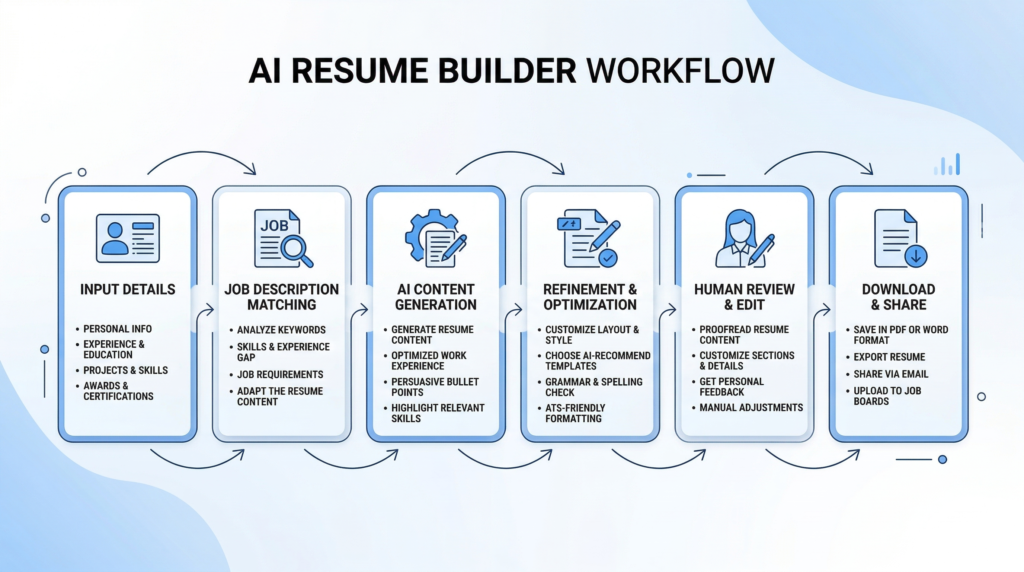
AI resume builders follow a simple process that makes resume writing easier.
• Input details: Add experience, job title, and skills
• Analyze job description: Match your resume to a specific job
• Generate content: Use AI to generate a resume
• Refine output: Improve resume bullet points and formatting
Now this is where people get confused. The tool can generate a resume, but it doesn’t fully understand your career story unless you refine it.
Why AI Resume Tools Matter
AI resume tools are becoming more useful because the job market is competitive and fast-moving.
• Speed: Helps create a resume faster
• Structure: Keeps your resume organized
• Optimization: Improves ATS compatibility
• Efficiency: Helps manage your job search
Here’s what I noticed. People who use AI tools often finish a resume in less time compared to manual writing.
Who Should Use AI Resume Tools
Not everyone needs advanced tools, but they can help in many situations.
• Freshers: Building a resume from scratch
• Professionals: Updating an existing resume
• Job seekers: Applying to multiple roles
• Career switchers: Creating a new resume
If you’re applying to several roles at once, using an AI resume builder can help you tailor your resume more efficiently.
How We Tested the Best AI Tools for Resume Writing
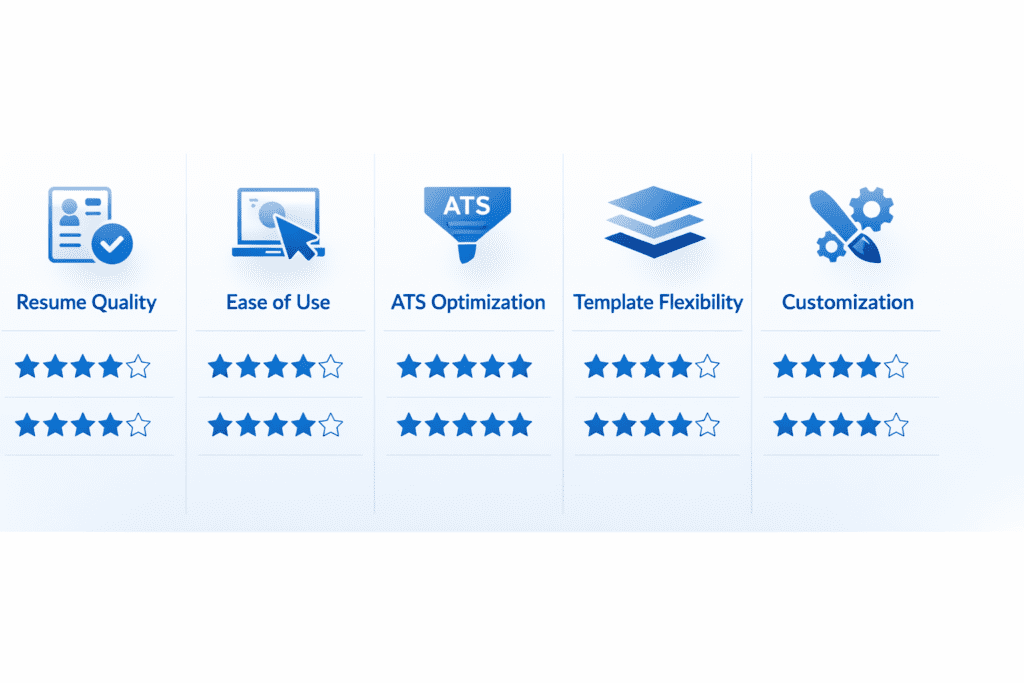
To find the best AI tool for resume writing, we didn’t just compare features. We tested how each tool performs in real job application scenarios.
From my research, many tools look similar on the surface, but their results can vary a lot depending on how you use them.
Evaluation Criteria
We evaluated each AI resume builder based on what actually matters.
• Resume quality: Clarity, structure, and readability
• Ease of use: How simple it is to build your resume
• ATS optimization: Ability to create an ATS-friendly resume
• Template flexibility: Variety of resume templates
• Customization: Ability to tailor your resume
Here’s the thing. A tool might look impressive, but if it creates a generic resume, it won’t help much.
Real Use Cases Tested
We tested these tools across real scenarios.
• Resume from scratch: Creating a new resume
• Resume improvement: Enhancing resume bullet points
• Job application flow: Using resumes for applications
• Industry variation: Different job roles and industries
For example, someone applying to five different roles might need to tailor their resume each time. Using AI can help adjust resume content faster.
That said, there are exceptions. For highly specialized roles, manual editing is still important.
What Most Blogs Miss About AI Resume Builders
Most blogs talk about features. Templates, generators, automation. All of that sounds useful.
But here’s the thing. That’s not what actually determines whether your resume works in a real job application.
From my research, the biggest gap is how people expect these tools to perform. A lot of users assume an AI resume builder will create a perfect resume instantly. In most cases, it doesn’t work like that.
There are a few things people don’t mention enough.
• No guaranteed results: AI tools don’t guarantee your dream job
• Templates are basic: A resume template gives structure, not personalization
• Editing is required: Resume with AI still needs human input
• Tool selection matters: The right AI tool can improve results
Here’s what I noticed. People who spend a few minutes refining their resume usually get better outcomes than those who rely fully on AI.
Now this is where it becomes important. If you treat AI as a helper instead of a replacement, your resume quality improves.
How to Use an AI Tool for Resume Writing Step by Step
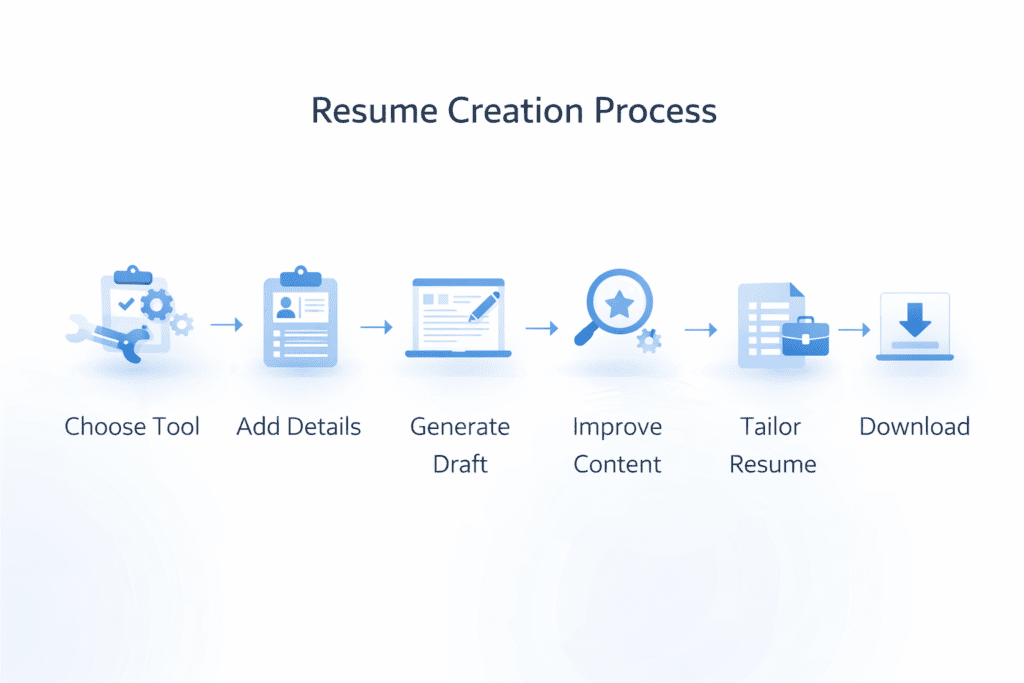
Using an AI tool for resume writing is simple, but how you use it makes a big difference.
Let’s keep it simple. The goal is not just to generate a resume, but to create a strong resume that fits each job.
Step-by-Step Process
- Choose tool: Pick the best AI resume builder for your needs
- Add details: Enter your experience, skills, and job title
- Generate draft: Use AI to generate a resume
- Improve content: Refine resume bullet points
- Tailor resume: Adjust for each job application
- Download resume: Export and finalize your resume
Now this is where people get confused. Most users skip the tailoring step, and that’s where their resume loses impact.
For example, imagine applying to three roles with slightly different requirements. Instead of sending the same resume, adjusting keywords based on each job description can make a noticeable difference.
Best Resume Examples: AI vs Human Written Resume
Comparing AI and human-written resume styles helps you understand what works best.
AI Resume
• Fast creation: Generates a resume quickly
• Structured format: Uses predefined templates
• Consistent layout: Keeps resume sections organized
Human Resume
• Personalized content: Reflects real experience
• Storytelling: Highlights achievements clearly
• Customization: Tailored for a specific job
Best Approach
In most cases, the best resume comes from combining both approaches.
AI helps create a resume faster and structure it properly, while human editing improves the final output.
Here’s what I noticed. When someone uses AI and then spends a bit of time editing, the result is usually stronger than either approach alone.
What Recruiters Look for in a Resume
Recruiters don’t just scan resumes randomly. They look for specific signals.
• ATS-friendly resume: Proper formatting for tracking systems
• Relevant keywords: Matching the job description
• Strong resume bullet points: Clear achievements
• Clean structure: Easy to read resume format
• Tailored content: Fits the job application
Here’s the thing. Even the best AI resume builder can’t fully replace understanding what recruiters expect.
If your resume doesn’t match the job posting, it may not get noticed, no matter how well it’s written.
How to Tailor Your Resume Using AI for Each Job
Tailoring your resume is one of the most important steps in the job search process.
Here’s the thing. Sending the same resume to every job rarely works. Most recruiters expect a resume that matches the job description closely.
Using an AI tool for resume writing makes this process easier.
• Match keywords: Align your resume with the job description
• Adjust sections: Highlight relevant experience
• Use suggestions: Follow AI resume builder recommendations
• Customize content: Update your resume for each job application
Now this is where people get confused. They think small changes don’t matter. But even adjusting a few keywords can improve how your resume performs in ATS systems.
Free vs Paid AI Resume Builders: Which Should You Choose
Choosing between free and paid tools depends on your needs.
Free Resume Builder
• Basic features: Helps create a resume quickly
• Limited templates: Fewer design options
• Good starting point: Useful for beginners
Paid AI Resume Builder
• Advanced features: More customization options
• Better templates: Professional resume designs
• Improved results: Stronger resume output
Here’s what I noticed. Many people start with a free resume builder and upgrade later once they understand what they need.
That said, if you’re applying for competitive roles, a paid ai resume builder may give you better results.
Signs You Are Using the Wrong AI Resume Tool
Not every tool works well for every user.
Here’s the thing. If your resume doesn’t look right or feels generic, the tool might not be the right fit.
• Generic output: Resume lacks personalization
• Poor formatting: Resume looks unprofessional
• Not ATS-friendly: Fails screening systems
• Limited customization: Hard to adjust resume content
• Weak resume bullet points: Lacks clear achievements
From my research, switching to a better tool often improves resume quality quickly.
Best Workflow: Using AI Tools With Job Search Strategy
Using AI tools effectively means combining them with a clear job search approach.
Simple Workflow
- Use AI tool for resume writing: Start building your resume
- Create a resume: Generate your first draft
- Tailor your resume: Adjust for each job
- Apply for jobs: Submit your job application
- Track progress: Monitor applications
Here’s what I noticed. When you follow a consistent workflow, your job search becomes more organized and efficient.
Quick Resume Checklist Before You Apply
Before submitting your resume, it’s worth doing a quick check.
• ATS-friendly resume: Proper formatting
• Tailored content: Matches job description
• Strong resume bullet points: Clear achievements
• No generic text: Personalized content
• Clean layout: Easy to read
Now this is where people often rush. Skipping this step can reduce your chances, even if the resume is well written.
Top Trends in AI Resume Writing
AI resume builders are evolving, and the changes are becoming more practical over time.
From my research, the focus is shifting from just generating a resume to improving how well that resume performs in a real job application.
• Personalization: AI resume builders create more customized resume content
• Job matching: Tools compare your resume with a job description
• Career guidance: Built-in suggestions for job seekers
• Automation: Faster resume creation and editing
Here’s the thing. AI technology is improving, but it still depends on how you use it.
That said, not every feature matters to everyone. If your goal is simply to create a resume, you may not need advanced tools.
10 Best AI Tool for Resume Writing (Detailed Breakdown)
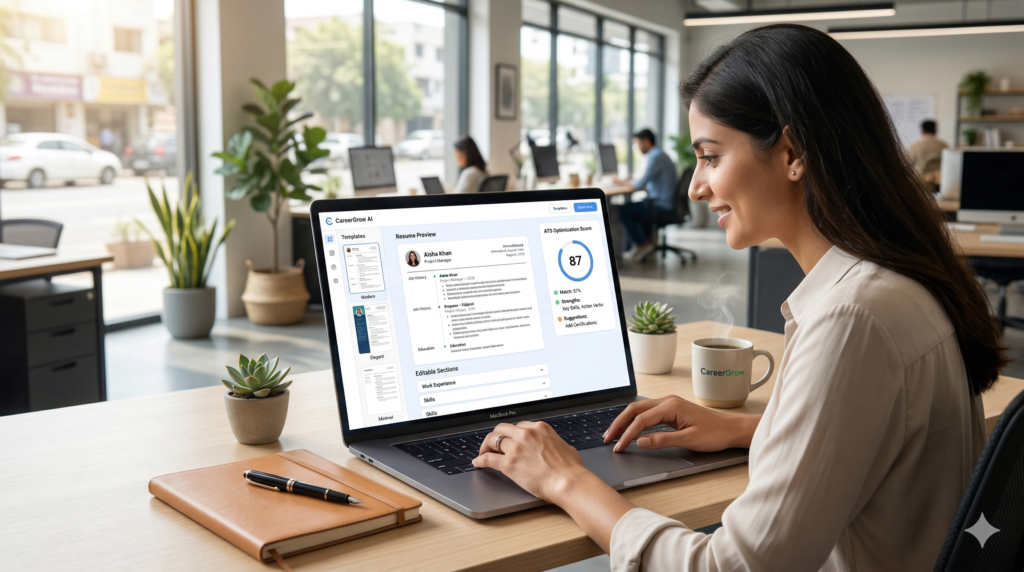
Kickresume: Best AI Resume Builder Overall
Kickresume is one of the best AI resume builder options for job seekers who want to create a resume quickly.
It focuses on simplicity and speed, which makes it useful for building a professional resume without too much effort.
Key Features
• AI resume generator: Helps generate a resume quickly
• Resume suggestions: Improves resume bullet points
• Cover letter builder: Supports resume and cover letter creation
Pricing Plans
• Free Plan – $0/month
• Monthly Plan – $19/month
• Annual Plan – $96/year
Pros
• Easy to use: Minimal learning curve
• High-quality templates: Clean and structured
Cons
• Limited free features: Some features require upgrade
Best For
Job seekers who want to create a resume fast.
Here’s what I noticed. Kickresume works well when you want to build your resume in minutes, especially if you’re starting fresh.
Zety: Best for Guided Resume Creation
Zety is designed for users who prefer a structured approach to resume writing.
It walks you through each step, which makes it easier to write a resume without feeling stuck.
Key Features
• Resume generator: Step-by-step guidance
• Pre-written content: Helps build resume sections
• ATS-friendly formats: Improves compatibility
Pricing Plans
• Trial Plan – $2.70/14 days
• Monthly Plan – $23/month
Pros
• Beginner-friendly: Easy guidance
• Structured flow: Helps build a resume logically
Cons
• Limited free version: Requires payment for full access
Best For
Beginners who want a guided resume builder.
Now this is where people get confused. A guided system helps, but you still need to personalize your resume.
Resume.io: Best Online Resume Builder
Resume.io is a widely used online resume builder known for its clean templates and fast setup.
It’s a good option if you want to create a professional resume quickly without spending too much time.
Key Features
• Online resume builder: Easy to use platform
• Templates: Ready-to-use resume templates
• Export options: Download your resume easily
Pricing Plans
• Trial Plan – $2.95/7 days
• Monthly Plan – $24/month
Pros
• Clean design: Professional appearance
• Fast setup: Quick resume creation
Cons
• Limited free features: Full access requires payment
Best For
Users who want a simple and fast resume builder.
That said, if you need advanced customization, you might find it slightly limited.
Teal: Best AI Tool for Job Search and Resume Tailoring
Teal focuses on helping you manage your job search while improving your resume at the same time.
It’s not just a resume builder. It also helps track applications and tailor your resume for each job.
Key Features
• Resume tracking: Helps manage job applications
• Job matching: Compares your resume with a job description
• AI suggestions: Improves resume content
Pricing Plans
• Free Plan – $0/month
• Pro Plan – $9/month
Pros
• Strong customization: Helps tailor your resume
• Job search support: Tracks applications
Cons
• Learning curve: Takes time to understand features
Best For
Active job seekers managing multiple applications.
Here’s what I noticed. If you’re applying to many roles, tools like this help you stay organized while improving each resume.
Rezi: Best for ATS-Friendly Resume
Rezi focuses on ATS optimization, which is important for passing resume screening systems.
It helps ensure your resume matches the job description and uses the right keywords.
Key Features
• ATS scoring: Evaluates your resume
• Resume generator: Helps create a resume
• Keyword targeting: Improves resume relevance
Pricing Plans
• Free Plan – $0
• Pro Plan – $29/month
Pros
• Strong ATS focus: Improves compatibility
• Keyword optimization: Better matching
Cons
• Basic design: Limited visual customization
Best For
Users focused on ATS-friendly resume performance.
Enhancv: Best for Creative Resume Design
Enhancv is designed for users who want visually appealing resumes.
It offers flexible layouts that help your resume stand out.
Key Features
• Custom templates: Unique resume designs
• Visual editor: Flexible layout options
• Resume sections: Easy customization
Pricing Plans
• Monthly Plan – $24/month
• Quarterly Plan – $54
• Annual Plan – $84
Pros
• Creative designs: Unique resume formats
• Flexible: Customizable layout
Cons
• Higher cost: More expensive than basic tools
Best For
Creative professionals who want a visually strong resume.
That said, for corporate roles, simpler resume templates are often preferred.
Novoresume: Best Structured Resume Builder
Novoresume helps users build a resume with a clear and structured layout.
It focuses on keeping your resume organized and easy to read.
Key Features
• Section-based templates: Organized resume structure
• Resume generator: Helps build resume quickly
• ATS-friendly: Supports proper formatting
Pricing Plans
• Free Plan – $0
• Premium Plan – $19/month
Pros
• Clean structure: Easy to read
• Simple interface: Beginner-friendly
Cons
• Limited customization: Less flexibility
Best For
Users who want a clean and structured resume.
ResumAI: Best for Resume From Scratch
ResumAI is designed for users who want to create a resume from scratch using AI.
It provides guided prompts that help you build your resume step by step.
Key Features
• AI resume generator: Helps generate a resume
• Guided prompts: Assists with content
• Resume suggestions: Improves structure
Pricing Plans
• Free Plan – $0
• Paid Plans – Available
Pros
• Beginner-friendly: Easy to start
• Fast creation: Builds resume quickly
Cons
• Limited templates: Fewer design options
Best For
Freshers and users building a resume from scratch.
Canva Resume Builder: Best for Design-Based Resume
Canva is widely known for design, and its resume builder focuses on visual customization.
It’s useful if you want a resume that stands out visually.
Key Features
• Drag-and-drop builder: Easy to design
• Templates: Wide variety of options
• Customization: Flexible layouts
Pricing Plans
• Free Plan – $0
• Pro Plan – $12/month
Pros
• Strong design: Visually appealing resumes
• Easy to use: Simple interface
Cons
• Limited AI features: Less focus on automation
Best For
Users who prioritize design over automation.
Skillroads: Best AI Tool for Career Guidance
Skillroads combines resume building with career support features.
It helps users improve their resume while also offering career advice.
Key Features
• AI resume builder: Helps create a resume
• Career advice: Guidance for job seekers
• Resume analysis: Improves resume quality
Pricing Plans
• Free Plan – $0
• Paid Plans – Available
Pros
• Helpful guidance: Supports career growth
• Beginner-friendly: Easy to use
Cons
• Limited customization: Basic features
Best For
Users looking for both resume help and career guidance.
Best AI Resume Builders by Use Case
Different tools serve different needs. Choosing the right one depends on your goals.
• Best AI resume builder overall: Kickresume
• Best free resume builder: Zety
• Best for job search: Teal
• Best for ATS resume: Rezi
• Best for design: Canva
Here’s the thing. You don’t need every tool. Picking one that fits your workflow is usually enough.
AI Resume Builder vs Traditional Resume Writing
AI resume builders and traditional resume writing follow different approaches.
Key Differences
• AI approach: Faster and more structured
• Traditional approach: Manual and time-consuming
Now this is where people get confused. Faster doesn’t always mean better. A resume still needs personalization.
When You Should Not Use AI Resume Tools
AI resume tools are useful, but not always the right choice.
• Executive roles: Require deep customization
• Technical resumes: Need detailed expertise
• Unique careers: Require storytelling
In these cases, manual resume writing may work better.
Common Mistakes When Using AI Resume Builders
Even with the best tools, mistakes can happen.
• No tailoring: Sending the same resume everywhere
• Overusing templates: Generic resume output
• Skipping editing: Not refining the resume
• Weak content: Poor resume bullet points
Here’s what I noticed. Most issues come from not editing the generated resume.
FAQs About AI Tool for Resume Writing
What are the best AI tools for resume writing?
Best AI tools for resume writing include AI -powered resume builders, AI resume writer and free AI resume builders that help create a resume fast.
Can I use a free AI resume builder to create a resume for free?
Yes, many free online resume and free AI resume builders let you make a resume for free with templates and basic AI help.
Will an AI writer create an ATS-friendly resume?
Most AI -powered resume builders offer ATS-friendly resume templates and will format your resume to pass basic scans.
Can I upload an existing resume or import an existing resume?
Yes, many resume creators let you upload your resume or paste your resume so the AI improves it quickly.
Is it better to build a resume from scratch with AI or import one?
If you have a resume, import it to save time; creating a resume from scratch with AI works well for new job seekers.
Can AI help tailor a resume for a specific job title?
Yes, AI resume builders can tailor bullet points and keywords to match a specific job title and job application.
Do AI tools also write cover letters or LinkedIn summaries?
Many AI resume builders include AI cover letter and resume and linkedin profile tools to match tone and content.
Are free templates good enough to land your dream job?
Free templates are fine to put your best foot forward, but choose templates designed to be clear and professional.
How do I use ChatGPT to write a resume or get help with your resume?
You can paste your resume or describe your experience, ask chatgpt to write a resume, and then refine the output.
What are best practices when using AI-powered resume builders in 2026?
Use AI technology to help, check for accuracy, tweak resume bullet points, and make sure the resume looks like you.
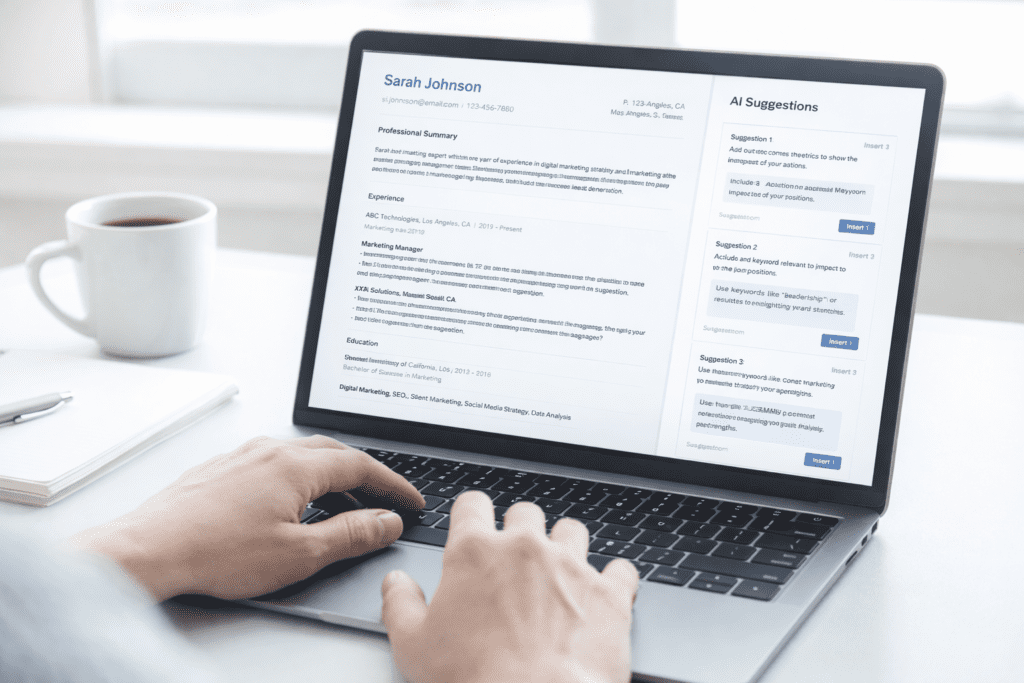
Final Verdict: Best AI Tool for Resume Writing
The right AI tool for resume writing can help you create a resume faster and improve your job search results.
• Kickresume: Best overall AI resume builder
• Teal: Best for job search optimization
• Rezi: Best for ATS-friendly resume
Bottom line? If you want to create a professional resume and improve your job application success, using AI tools can help.
That said, AI works best when you combine it with your own input. A well-edited resume is still what makes the difference when applying for your dream job.