

You open LinkedIn, plan to post something valuable, and then… nothing.
You spend 20 minutes thinking, rewrite the same sentence three times, and still don’t hit publish. That’s exactly why AI Tools for LinkedIn Posts are becoming part of how professionals create content consistently.
Here’s what I noticed.
People don’t struggle with ideas. They struggle with turning those ideas into engaging posts that actually get attention. That’s where an AI tool or a linkedin post generator can help simplify the process.
Quick Picks: Best AI Tools for LinkedIn Posts for Different Use Cases
If you don’t want to test every tool in the market, this quick list will give you a clear starting point.
But keep in mind, the best AI Tools for LinkedIn Posts depend on how you create linkedin content and what your goal is.
Top picks:
Best Overall: Taplio
Best for: Consistent LinkedIn posts, audience growth, and content strategy
Best for Storytelling: Jasper AI
Best for: High-quality, engaging LinkedIn posts with strong narrative flow
Best Budget Option: Rytr
Best for: Simple and affordable LinkedIn post generation
Best Free Option: ChatGPT
Best for: Flexible content creation, ideation, and post refinement
Now this is where people get confused.
They assume every linkedin AI tool produces the same results. But some tools focus on engagement, while others focus on speed or automation.
Why AI Tools for LinkedIn Posts Matter for Content Creation
Posting on LinkedIn isn’t just about writing.
It’s about consistency, engagement, and building a strong linkedin presence over time. And that’s not easy to maintain manually.
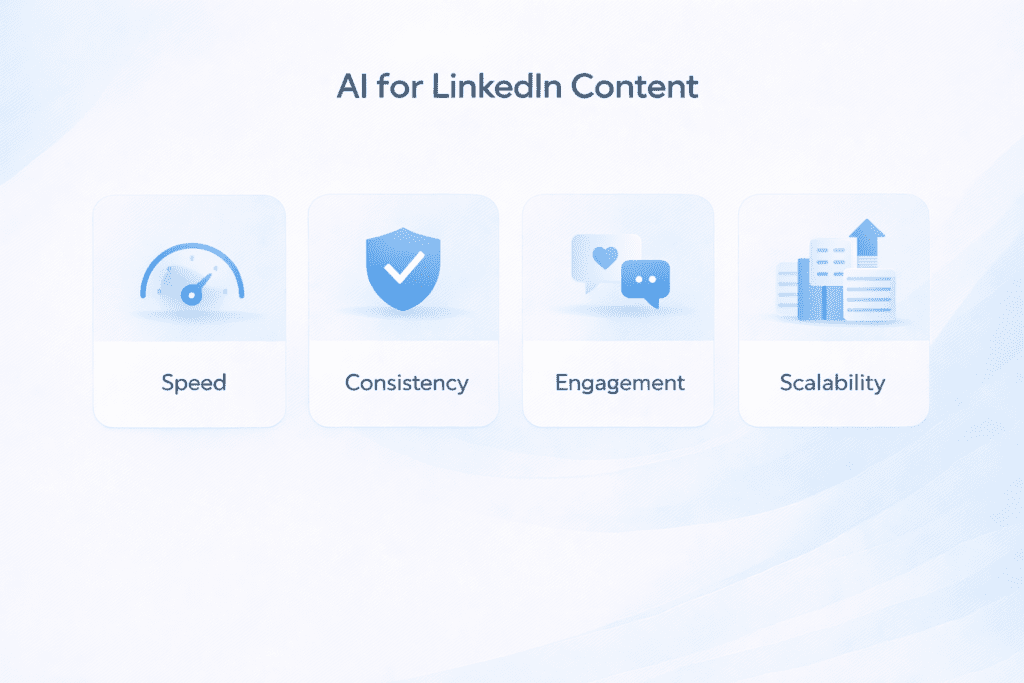
Why professionals use AI tools:
• Save time: Helps write posts faster
• Consistency: Supports posting regularly
• Content ideas: Helps generate linkedin content
• Scalability: Makes it easier to create content at scale
For example, a creator trying to post on linkedin daily might struggle to keep up manually. But using an AI-powered linkedin post generator, they can generate posts in seconds and then personalize them before publishing.
That small shift often makes a big difference.
What You’ll Learn in This Guide
This guide focuses on helping you choose the right AI Tools for LinkedIn Posts based on real use cases.
Instead of just listing tools, we’ll look at how they help create engaging posts and improve linkedin engagement.
What this guide covers:
• Tool comparison: Side-by-side overview of tools
• Real workflows: How professionals create linkedin posts
• Content strategies: What makes posts perform better
• Tool selection: Choosing the right AI tool
That said, not every tool will fit your workflow.
Some are better for storytelling, some for automation, and others for quickly generating social media posts.
Comparison Table of AI Tools for LinkedIn Posts
Before choosing between different AI Tools for LinkedIn Posts, it helps to compare them side by side.
Because honestly, most professionals don’t pick a linkedin AI tool based only on features. They look at pricing, ease of use, and how well the tool fits their content creation workflow.
| Tool | Free Plan | Paid Pricing | Best For | Key Feature |
|---|---|---|---|---|
| Taplio | No | $39/month | LinkedIn growth | AI LinkedIn post generator |
| Jasper AI | No | $69/month | Storytelling | AI writing assistant |
| Rytr | Yes | $9/month | Beginners | AI post generator |
| ChatGPT | Yes | $20/month | Flexible writing | AI assistant |
| Copy.AI | Yes | $49/month | Automation | AI workflows |
| Hootsuite AI | Yes | $99/month | Scheduling | Social media tools |
| Writesonic | Yes | $16/month | Fast content | AI writing |
From my research, pricing often reflects specialization.
For example, Taplio focuses heavily on linkedin growth and analytics, while tools like Rytr focus on simple post generation at a lower cost.
What Are AI Tools for LinkedIn Posts and How They Work
AI Tools for LinkedIn Posts are designed to help you write linkedin posts using AI instead of starting from scratch.
Let’s keep it simple.
You give a prompt, and the AI tool generates a draft. You can then edit it, personalize it, and post it on linkedin.
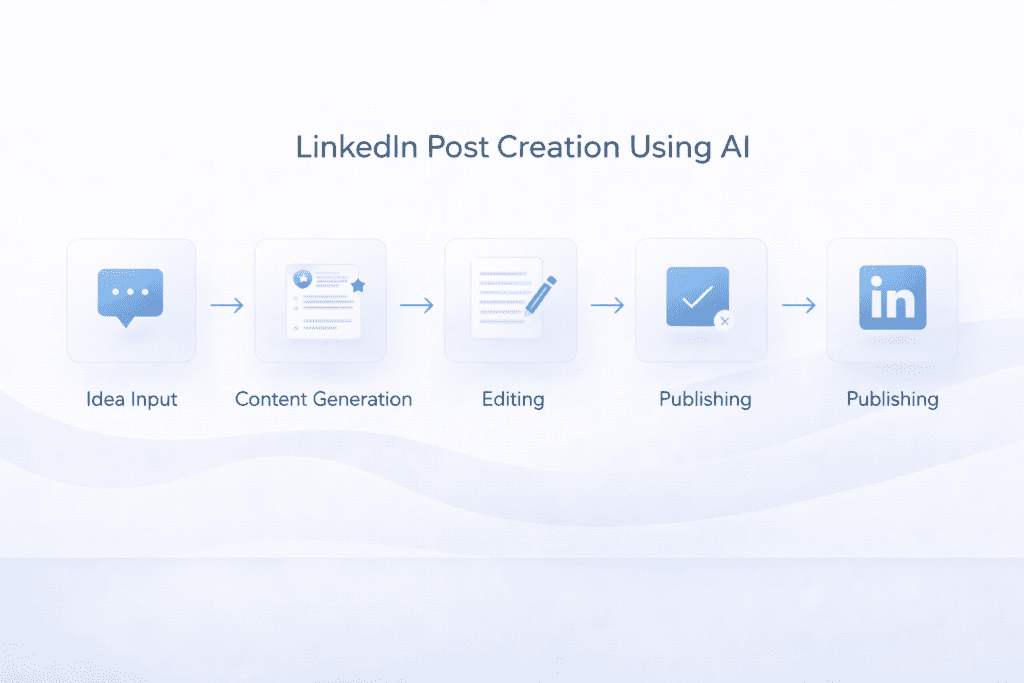
How these tools work:
• Input: You describe the post idea
• Generation: The AI generates linkedin posts
• Editing: You refine the content
• Publishing: You post on linkedin
Here’s the thing.
These tools don’t replace your voice. They help you get started faster and improve your writing process.
Why Professionals Use AI Tools for LinkedIn Content Creation
Creating linkedin posts consistently is harder than it looks.
You need ideas, structure, and a clear message. That’s where AI Tools for LinkedIn Posts help.
Why professionals use AI:
• Speed: Helps create posts quickly
• Consistency: Supports regular posting
• Idea generation: Helps generate linkedin content
• Efficiency: Reduces writing effort
Now this is where people get confused.
They expect AI to create perfect posts automatically. But in most cases, the best results come when you combine AI with your personal insights.
For example, many professionals use ChatGPT to generate ideas, then refine the content using tools like Jasper before publishing.
That combination usually creates better posts.
7 Best AI Tools for LinkedIn Posts (Detailed Breakdown)
Now let’s get into the tools.
Not every AI tool is built specifically for linkedin posts. Some are general writing tools, while others are designed as a linkedin post generator.
Taplio
Taplio is built specifically for LinkedIn.

It focuses on helping users grow their linkedin presence with consistent content and analytics.
Key features:
• LinkedIn post generator: Helps generate linkedin posts quickly
• Content ideas: Suggests topics based on trends
• Analytics: Tracks linkedin engagement
Pricing:
• Paid plan: $39/month
Pros and cons:
• Pros: Designed specifically for linkedin creators
• Cons: More expensive than basic tools
From my research, this is often considered one of the best linkedin AI tools for personal branding.
Jasper AI
Jasper is a well-known AI writing tool that works well for storytelling-based linkedin posts.
It’s not built only for LinkedIn, but it performs well when you want more engaging posts.
Key features:
• AI writing assistant: Helps create engaging posts
• Templates: Supports different writing styles
• Tone control: Adjusts content style
Pricing:
• Paid plan: $69/month
Pros and cons:
• Pros: High-quality AI writing
• Cons: Higher cost
Here’s what I noticed.
If your goal is to create engaging posts that feel more human, Jasper tends to perform better than simpler tools.
Rytr
Rytr is a budget-friendly linkedin post generator.
It focuses on simplicity and speed, making it useful for beginners.
Key features:
• AI post generator: Helps write linkedin posts quickly
• Simple workflow: Easy to use
• Tone options: Adjusts writing style
Pricing:
• Free plan: Available
• Paid plan: $9/month
Pros and cons:
• Pros: Affordable and easy to use
• Cons: Output can feel basic
Now this is where people get confused.
They expect budget tools to produce advanced content. But tools like Rytr are better for simple posts rather than deep storytelling.
ChatGPT
ChatGPT is one of the most flexible AI Tools for LinkedIn Posts.
It works as a general-purpose AI writing tool, which means you can use it for brainstorming, drafting, and refining linkedin posts.
Key features:
• Content generation: Helps draft linkedin posts quickly
• Idea generation: Useful for hooks and content ideas
• Customization: Can adapt to your writing style
Pricing:
• Free plan: Available
• Paid plan: Starts at $20/month
Pros and cons:
• Pros: Highly flexible and adaptable
• Cons: Requires good prompts
From research, ChatGPT is widely used for drafting posts, generating ideas, and even creating comments or outreach messages for LinkedIn.
Copy.AI
Copy.AI is designed for short-form content and workflows, making it useful for linkedin content creation.
It provides structured templates that help you generate engaging posts quickly.
Key features:
• LinkedIn templates: Pre-built frameworks for posts
• AI workflows: Helps automate content creation
• Content generator: Produces multiple variations
Pricing:
• Free plan: Available
• Paid plan: Starts at $49/month
Pros and cons:
• Pros: Strong for structured linkedin posts
• Cons: Requires manual posting
Here’s what I noticed.
Copy.AI works well when you want guided content creation instead of writing everything from scratch.
Hootsuite AI
Hootsuite AI is more than just a linkedin post generator.
It’s part of a broader social media management platform that helps schedule, manage, and optimize content.
Key features:
• Scheduling: Plan and publish linkedin posts
• AI assistance: Helps generate content
• Analytics: Tracks performance
Pricing:
• Paid plan: Starts at $99/month
Pros and cons:
• Pros: All-in-one social media tool
• Cons: Expensive for beginners
This tool is commonly used by teams managing multiple social media accounts, not just LinkedIn.
Writesonic
Writesonic is a fast AI writing tool that works well for generating linkedin posts quickly.
It focuses on speed and simplicity.
Key features:
• AI content generator: Creates posts quickly
• Multiple outputs: Generates variations
• Templates: Supports social media content
Pricing:
• Free plan: Available
• Paid plan: Starts at $16/month
Pros and cons:
• Pros: Fast and easy to use
• Cons: Needs editing for better engagement
According to comparisons, Writesonic can generate multiple post variations quickly, giving users more options to choose from.
Which AI Tool Creates the Best LinkedIn Posts Based on Testing
To understand how different AI Tools for LinkedIn Posts perform, a simple test was used.
The same prompt was given to each linkedin post generator.
“Write a LinkedIn post about productivity habits for entrepreneurs”
Here’s what I noticed.
Each AI tool produced very different linkedin posts, especially in terms of engagement and readability.
Testing insights:
• Hook quality: Jasper created more engaging posts with stronger openings
• Structure: Taplio produced better formatted linkedin posts
• Speed: Writesonic generated posts in seconds
• Flexibility: ChatGPT adapted based on prompt quality
• Simplicity: Rytr created basic but usable content
That said, this usually works, but not always.
Sometimes the output depends more on how you guide the AI than the tool itself.
How to Write Viral LinkedIn Posts Using AI Framework
Creating engaging posts is not just about writing.
There’s a simple structure that works well for linkedin content.
Basic framework:
• Hook: First line grabs attention
• Story: Share a relatable situation
• Insight: Provide value or lesson
• CTA: Encourage engagement
Now this is where people get confused.
They focus too much on the content and ignore the hook.
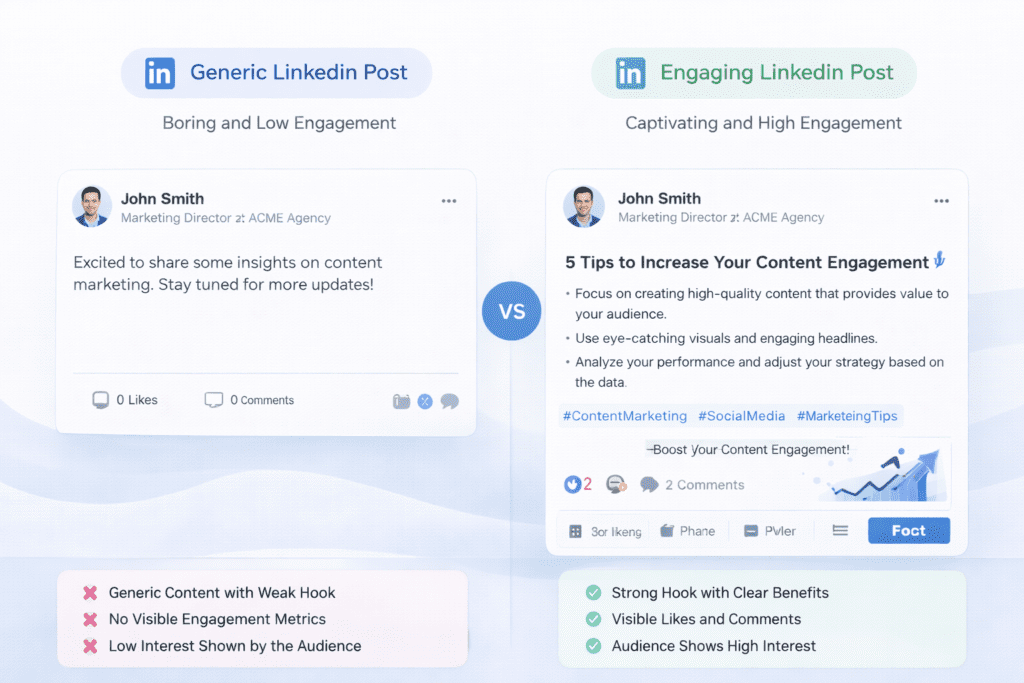
For example, a weak hook might say:
“Here are 5 productivity tips”
A stronger hook might say:
“I wasted 3 years being busy, not productive…”
That difference matters.
Which AI Tool Creates the Best LinkedIn Hooks
Hooks are one of the most important parts of linkedin posts.
Because if the first line doesn’t grab attention, people won’t read the rest.
Hook comparison:
• Jasper: Best for storytelling hooks
• ChatGPT: Good for experimenting with variations
• Taplio: Focused on linkedin engagement patterns
From my research, tools that focus on storytelling tend to produce better hooks than tools focused only on speed.
Best AI Tools for LinkedIn Posts by Use Case
Different users have different goals.
So instead of choosing one tool, it helps to match tools to your use case.
Best tools by use case:
• Personal branding: Taplio works well for growing linkedin presence
• Storytelling posts: Jasper helps create engaging posts
• Beginners: Rytr is easy to start with
• Free usage: ChatGPT offers flexibility
Here’s the thing.
Most professionals use multiple tools together rather than relying on a single linkedin AI tool.
Before vs After Using AI for LinkedIn Content
The difference becomes clear when you compare workflows.
Without AI, writing linkedin posts takes time and effort.
With AI Tools for LinkedIn Posts, the process becomes faster and more consistent.
Before using AI:
• Time spent: 20 to 40 minutes per post
• Frequency: Posting once or twice a week
• Effort: High manual writing
After using AI:
• Time spent: 5 to 10 minutes per post
• Frequency: Posting daily
• Efficiency: Faster content creation
For example, a creator using AI can post regularly and maintain consistency, which is key for linkedin growth.
How to Write LinkedIn Posts Using AI Step by Step
Using AI without a process can lead to average results.
So let’s keep it simple.
A structured workflow usually works better.
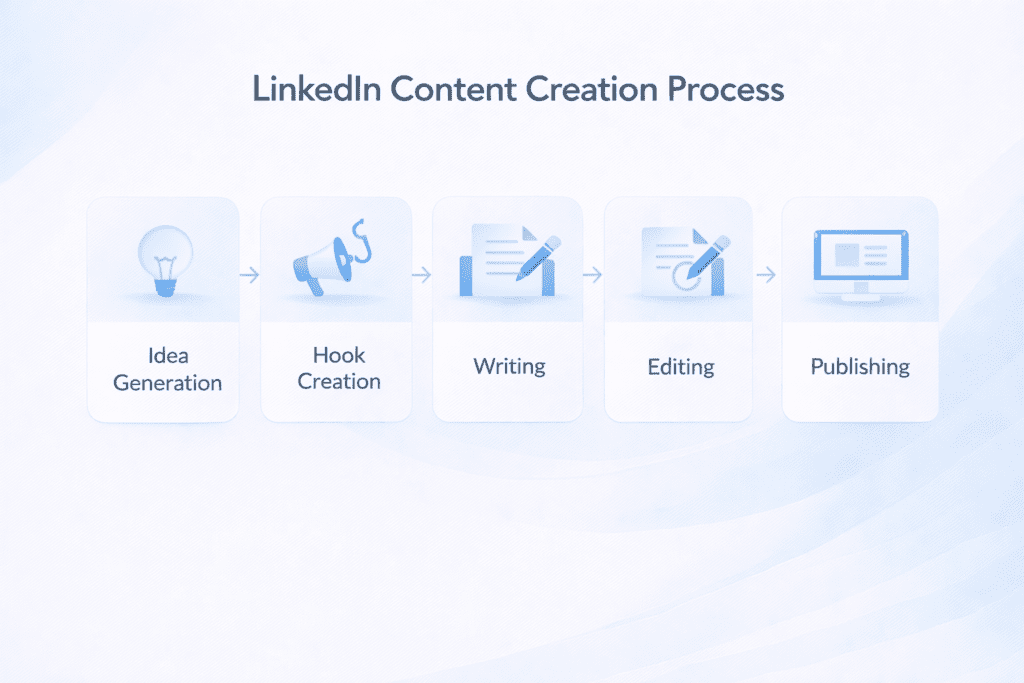
Step by step process:
• Idea generation: Use AI to generate linkedin content ideas
• Hook creation: Generate multiple hooks
• Content writing: Build the post
• Editing: Add personal tone
• Publishing: Post on linkedin
Here’s what I noticed.
The best posts are not fully AI-generated. They are refined with personal insights.
Best AI Tool Stack for LinkedIn Content Creation
Using a single AI tool can work, but combining tools usually gives better results.
Here’s what I noticed.
Most professionals who consistently create linkedin posts rely on multiple tools instead of one.
Common tool stacks:
• Content stack: ChatGPT for ideas and Jasper for writing linkedin posts
• Growth stack: Taplio for analytics and content suggestions
• Automation stack: Copy.AI for workflows and Hootsuite for scheduling
This approach helps balance speed, quality, and consistency in linkedin content creation.
AI vs Human Writing for LinkedIn Posts What Actually Works
There’s always a debate between AI writing and human writing.
But honestly, the best results come from combining both.
Comparison:
• AI writing: Fast and scalable
• Human writing: Personal and authentic
• Best approach: Use AI for drafting and human editing
Now this is where people get confused.
They expect AI to replace human writing completely. But in most cases, AI works best as support, not a replacement.
Speed vs Engagement in AI LinkedIn Content
Speed and engagement are not the same.
And this is where many linkedin users make mistakes.
Comparison:
• Fast tools: Writesonic generates posts quickly
• Engagement-focused tools: Jasper creates more engaging posts
• Balanced tools: ChatGPT provides flexibility
That said, faster content often needs more editing, while engaging content usually takes a bit more time to refine.
Best AI Tool for Different LinkedIn Post Types
Different types of linkedin posts require different approaches.
Choosing the right AI Tools for LinkedIn Posts depends on what you want to create.
Post type recommendations:
• Story posts: Jasper works well for storytelling
• Educational posts: ChatGPT helps generate structured content
• Sales posts: Copy.AI supports persuasive writing
• Hiring posts: Taplio helps maintain consistency
From my research, using the right tool for the right type of post improves overall linkedin engagement.
How to Build a Personal Brand on LinkedIn Using AI
Building a strong linkedin presence takes consistency.
And this is where AI Tools for LinkedIn Posts can help.
Key factors:
• Consistency: Post regularly
• Voice: Maintain a personal tone
• Value: Share useful insights
For example, a creator posting daily using AI can grow their audience faster compared to posting occasionally.
How Often Should You Post on LinkedIn Using AI
Posting frequency matters.
But consistency matters more.
Posting strategy:
• Daily posting: Helps build visibility
• Consistency: More important than frequency
• Quality: Balance between speed and engagement
Here’s the thing.
AI makes it easier to post regularly, but quality still matters.
How to Choose the Right AI Tool for LinkedIn Posts
Choosing the right tool depends on your goals.
Not every linkedin AI tool fits every workflow.
What to consider:
• Content goal: Branding, sales, or engagement
• Ease of use: Beginner-friendly or advanced
• Features: Writing, automation, or analytics
Performance factors:
• Engagement quality: How well posts perform
• Writing style: Matches your voice
• Workflow efficiency: Fits your process
Accuracy and Limitations of AI LinkedIn Tools
AI tools are helpful, but they are not perfect.
Understanding limitations helps avoid mistakes.
Common limitations:
• Generic content: Output can feel repetitive
• Prompt dependency: Results depend on input
• Personalization needed: Requires editing
For example, AI-generated linkedin posts may lack personal tone if not refined.
Who Should Not Use AI Tools for LinkedIn Posts
AI Tools for LinkedIn Posts are not suitable for everyone.
In some cases, manual writing may be better.
Not suitable for:
• Users avoiding editing: Expecting perfect output
• Highly personal content: Requires unique voice
• No strategy: Posting without a plan
Common Mistakes When Using AI for LinkedIn Content
Even the best AI tool can produce poor results if used incorrectly.
Common mistakes:
• Generic posts: Not adding personal insights
• Weak hooks: Missing attention-grabbing opening
• No storytelling: Lack of engagement
• Overusing AI: Not refining content
Here’s what I noticed.
Most problems come from how the tool is used, not the tool itself.
What Most AI Tools for LinkedIn Posts Lists Miss
Most lists focus only on tools.
But they miss something important.
What they overlook:
• Personal voice matters more than AI
• Hooks matter more than content
• Consistency beats perfection
• Strategy matters for linkedin growth
Frequently Asked Questions About AI Tools for LinkedIn Posts
What is an AI tools for linkedin posts and how does it work?
An AI tools for LinkedIn posts uses AI writing models to suggest post ideas, headlines, and captions that match your linkedin profile and audience.
Can an AI linkedin post generator help me tailor content for a prospect?
Yes, many AI post generators can personalize posts or messages to a prospect by using details from a profile or outreach goal.
Are there free AI linkedin post generator options I can try?
Some platforms offer a free AI linkedin post generator or a free tool trial so you can try it for free before subscribing.
How does an AI post generator integrate with linkedin or linkedin automation?
Some tools integrate with LinkedIn to create and schedule posts, while others export text you paste into your linkedin account manually.
Will using an AI assistant ruin my linkedin strategy or make posts robotic?
No, when used well an AI assistant is a tool designed to help you create personalized linkedin posts that still sound like you.
Can AI-powered tools help me quickly create posts in seconds that capture attention?
Yes, AI-powered post generators can quickly create short drafts, captions, or hooks so you can craft linkedin posts that capture attention.
What are the best linkedin AI tools for post writing and scheduling?
The best linkedin AI tools combine AI content creation, scheduling, and basic analytics so you can boost your LinkedIn presence efficiently.
Is it safe to use AI content for my linkedin profile and professional outreach?
It’s best to review and edit AI content before posting so it fits your voice and avoids sharing sensitive or inaccurate details.
Can an AI post generator help with linkedin messages and personalized outreach?
Yes, many post generator AI and outreach tools help write messages and personalized linkedin outreach that feel human and relevant.
How do I make AI-generated posts more likely to create viral engagement?
Add a personal story, clear call to action, and tweak the AI draft to match best practices for timing and audience to increase chances to create viral posts.
Will an automation tool replace my role in building a successful linkedin network?
No, automation tools help with routine tasks and post writing, but human follow-up and relationship building are still crucial for a successful LinkedIn presence.

Final Verdict: Best AI Tools for LinkedIn Posts
So what does this mean for you?
Choosing the right AI Tools for LinkedIn Posts depends on your workflow and goals.
If you want growth and analytics, Taplio is a strong option. If you want better storytelling, Jasper works well. If you want flexibility, ChatGPT is a practical choice.
Bottom line?
There isn’t a single best AI tool for everyone.
The best approach is to combine tools, refine your content, and focus on building a strong linkedin presence over time.