
One mistake people make when comparing copy ai vs rytr is assuming both tools do the same thing. On the surface, they look similar. Both are AI writing tools. Both can generate content. But once you actually use them, the differences start to show.
Here’s the thing. Most users don’t struggle with finding an ai writing tool. They struggle with picking the right one for their workflow. And that’s exactly where this copy ai vs rytr comparison becomes useful.
Copy.ai vs Rytr: Quick Decision
Choose Copy.ai → If you want structured, marketing-focused content
Choose Rytr → If you want fast, budget-friendly content generation
Not sure? → Start with Rytr, upgrade later
Copy.ai vs Rytr: Quick Winner Summary for Different Use Cases
If you just want a quick answer, here’s how things usually play out.
But keep in mind, this isn’t about picking a single winner. It depends on how you plan to generate content and what your content needs actually are.
Quick winners:
• Best AI writing tool overall: Copy.ai for structured workflows and automation
• Best for beginners: Rytr because of its simplicity and ease of use
• Best for SEO content: Copy.ai performs better for structured long-form content
• Best for copywriting: Copy.ai offers stronger templates and marketing tools
• Best value for money: Rytr is more affordable for basic content creation
• Best for high-quality content: Copy.ai produces more refined output
Now this is where people get confused.
They assume higher pricing automatically means better output. But in reality, it depends on how the tool fits into your content creation workflow.
How We Tested Copy.ai and Rytr for Real Content Workflows
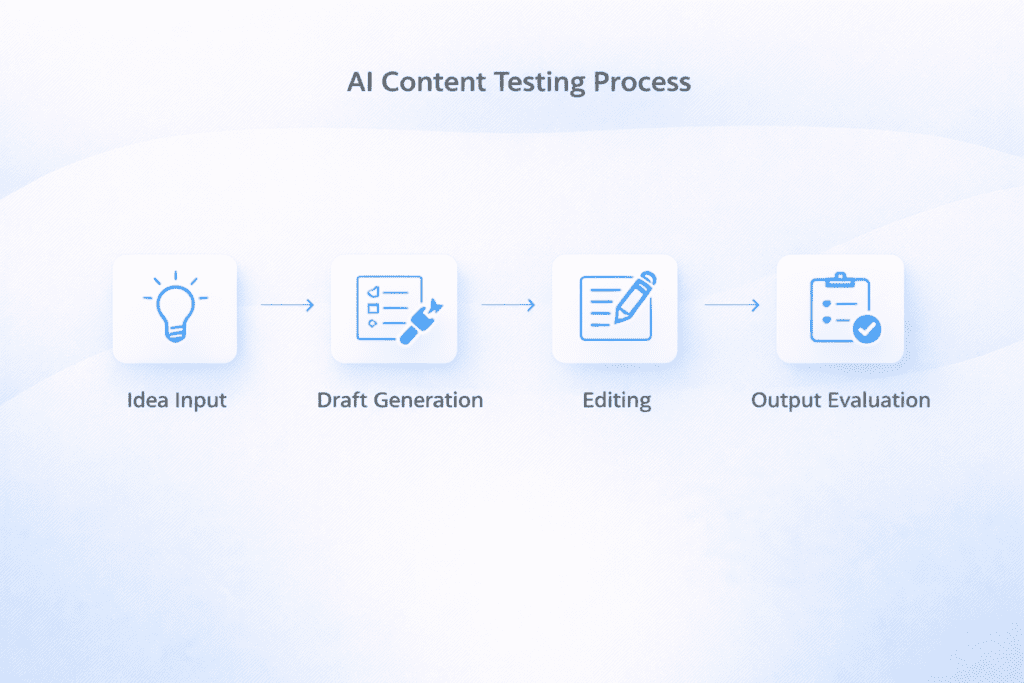
To make this comparison realistic, both tools were tested using actual content tasks.
From my research, testing features alone doesn’t tell the full story. What matters is how these tools perform when you try to create content in real situations.
Testing approach:
• Duration: Multiple sessions across different writing tasks
• Content types: Blog posts, ad copy, emails, and short-form content
• Workflow testing: Creating content from idea to final draft
• Output review: Checking clarity, tone, and structure
For example, one test involved generating a 1000-word blog using both tools with the same prompt.
The difference was noticeable.
Rytr was faster at generating content quickly, but Copy.ai provided a more structured draft with better flow. That doesn’t mean one is always better. It depends on your use case.
Overview of Copy.ai and Rytr Features and Positioning
Before going deeper, it helps to understand how these two tools are positioned.
Because honestly, they are not built for the exact same audience.
What Is Copy.ai and Who Should Use It
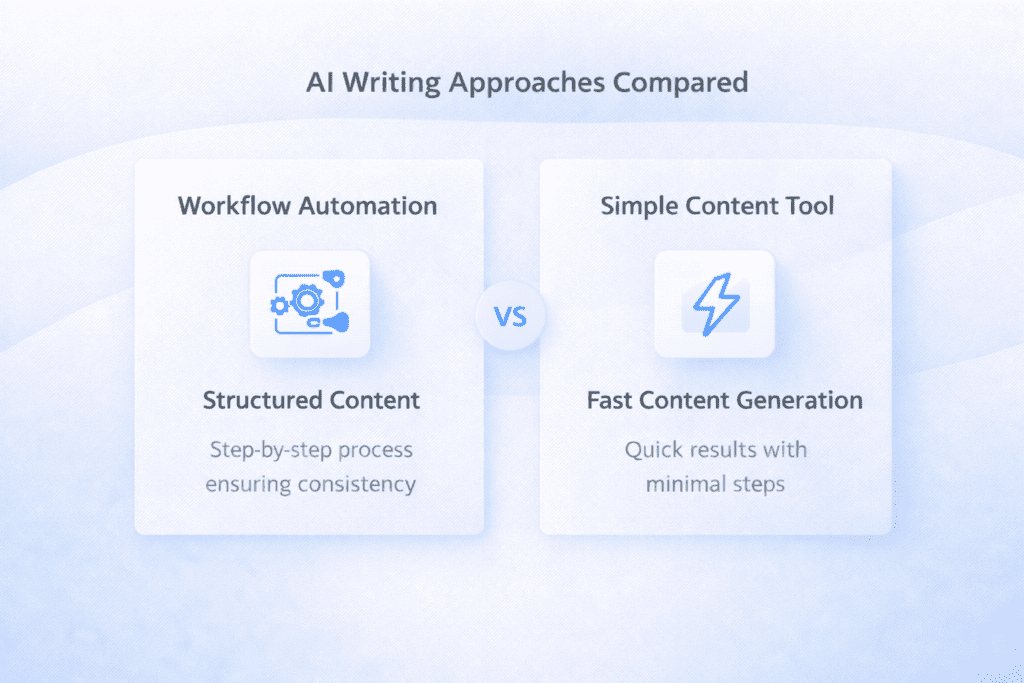
Copy.ai is designed as a workflow-focused ai platform.
It focuses on helping marketing teams and businesses automate content creation. Instead of just generating text, it supports structured workflows and content marketing processes.
Here’s what I noticed.
It works best for users who want more control over how content is created and scaled.
What Is Rytr and Who Should Use It
Rytr is a budget-friendly ai writer built for simplicity.
It focuses on helping users generate content quickly without a complicated setup. That’s why it’s often recommended for beginners and solo creators.
Key positioning differences:
• Copy.ai focus: Workflow, automation, and marketing content
• Rytr focus: Simplicity, speed, and affordability
In most cases, if you want advanced features, you might lean toward Copy.ai. If you want something simple and cost-effective, rytr is often the better fit.
Copy.ai vs Rytr Comparison Table: Features, Pricing, and Ease of Use
Before going deeper, it helps to look at a side by side comparison.
Because honestly, most decisions come down to pricing, features, and how easy the tool feels in daily use.
| Feature | Copy.ai | Rytr |
|---|---|---|
| Free Plan | Yes | Yes |
| Paid Plan | $49/month | $9/month |
| Ease of Use | Moderate | Very Easy |
| Best For | Marketing workflows | Quick content generation |
| Templates | Advanced | Basic |
| Long-form Content | Strong | Limited |
| SEO Support | Moderate | Basic |
| Automation | Yes | Limited |
From my research, this is where the biggest difference shows up.
Copy.ai is built for structured content creation, while rytr focuses more on helping you generate content quickly with less setup.
Copy.ai vs Rytr Feature Comparison for Content Creation
Features matter, but not always in the way people think.
Some tools offer a lot of advanced features, but they don’t always translate into better content. Others keep things simple and still perform well.
Here’s a breakdown of how copy.ai and rytr compare in terms of core functionality.
AI Writing Capabilities and Output Quality
Both tools rely on artificial intelligence to generate content, but the output quality feels different depending on what you’re trying to create.
Key differences:
• Content depth: Copy.ai produces more structured and detailed output
• Speed: Rytr generates content faster
• Editing effort: Rytr usually needs more editing
• Consistency: Copy.ai maintains better tone across longer content
Here’s what I noticed.
When you try to generate long-form content, Copy.ai tends to perform better. But for short-form content like social media posts or quick drafts, rytr feels faster and easier.
That said, this usually works, but not always.
Sometimes both tools can produce generic ai-generated content if the prompt isn’t clear enough.

SEO Content and Optimization Performance
SEO is another area where differences become clear.
Not every ai writing tool is built for SEO. Some focus more on content generation without much attention to optimization.
SEO comparison:
• Structure: Copy.ai creates better organized content
• Keyword handling: Both tools support basic keyword usage
• Optimization: Copy.ai performs slightly better for SEO content
• Limitations: Neither replaces dedicated seo tools
Now this is where people get confused.
They expect AI tools to fully handle SEO. But in reality, you still need external tools or manual optimization to get the best results.
For example, many users combine tools like Copy.ai or rytr with platforms such as Surfer or even Google Search Console to improve performance.
Content Quality Test: Copy.ai vs Rytr Output Results
To make things practical, both tools were tested using the same prompts.
The goal was simple. See how each tool performs in real content creation scenarios.
Content test results:
• Blog content: Copy.ai produced more structured output
• Ad copy: Copy.ai performed better for marketing-focused content
• Email content: Both tools worked well with slight editing
• Editing required: Rytr needed more refinement
For example, when generating a blog post, Copy.ai created a clearer structure with headings and flow. Rytr generated content quickly, but the structure needed adjustment.
That doesn’t make rytr a bad tool.
It just means it works better for simpler tasks or when speed matters more than depth.
Prompt Test Results: Copy.ai vs Rytr Content Differences
Now this is where things get interesting.
Most people don’t realize how much prompts affect the output. The same instruction can produce very different results depending on the tool you use.
To keep things fair, both tools were given the same prompt.
“Write a 1200 word SEO blog on email marketing trends”
Here’s what I noticed.
Output comparison:
• Structure: Copy.ai created a more organized article with clear sections
• Clarity: Rytr generated readable content but needed cleanup
• Tone: Copy.ai maintained a consistent tone throughout
• Accuracy: Both tools were decent, but required fact-checking
That said, this usually works, but not always.
Sometimes rytr produces shorter responses, while Copy.ai expands more by default. So your expectations need to match the tool you’re using.
Best Prompts for Copy.ai and Rytr
Blog Prompt
Write a 1200-word SEO blog on [topic] with headings and examples
Ad Copy Prompt
Write 5 persuasive ad copies for [product] targeting [audience]
Rewrite Prompt
Improve this content for clarity and SEO: [paste]
Copy.ai vs Rytr Pricing Comparison and Value for Money
Pricing is one of the biggest reasons people compare copy ai vs rytr.
And honestly, this is where the gap becomes very clear.
Pricing overview:
• Copy.ai paid plan: $49/month
• Rytr saver plan: $9/month
• Rytr unlimited plan: $29/month
• Free plan: Available on both tools
From my research, rytr offers one of the lowest entry points in the ai writing space.
But here’s the thing.
Lower pricing doesn’t always mean better value. It depends on how much content you generate and what level of quality you need.
For example, rytr includes a characters per month limit on lower plans, while Copy.ai focuses more on workflow and automation.
Which Tool Gives Better ROI Based on Real Usage
Return on investment is not just about pricing.
It’s about how much time you save and how much editing you need to do.
Let’s keep it practical.
If you’re spending less money but more time editing, the overall value might not be as good as it looks.
ROI comparison:
• Cost efficiency: Rytr is cheaper upfront
• Time saved: Copy.ai reduces editing time
• Scalability: Copy.ai works better for larger workflows
• Output quality: Copy.ai produces more refined drafts
Here’s a simple example.
A freelancer using rytr at $9/month might save money, but if they spend extra hours editing each blog, the total effort increases. On the other hand, Copy.ai at $49/month may reduce editing time, making the workflow smoother.
That’s the tradeoff.
Ease of Use and Workflow Comparison Between Copy.ai and Rytr
Ease of use is something people often underestimate.
Because even the best ai writing tool can feel frustrating if it’s hard to navigate.
Ease of use comparison:
• Interface: Rytr is simpler and more beginner-friendly
• Learning curve: Copy.ai takes a bit more time to understand
• Setup: Rytr requires minimal setup
• Navigation: Copy.ai offers more features but feels more complex
Here’s what I noticed.
If you’re just starting out, rytr feels easier. You can open it, type a prompt, and generate content almost instantly.
But if you need a structured workflow, Copy.ai gives you more control, even though it takes a bit longer to get used to.
Real Workflow Comparison: Copy.ai vs Rytr Step by Step
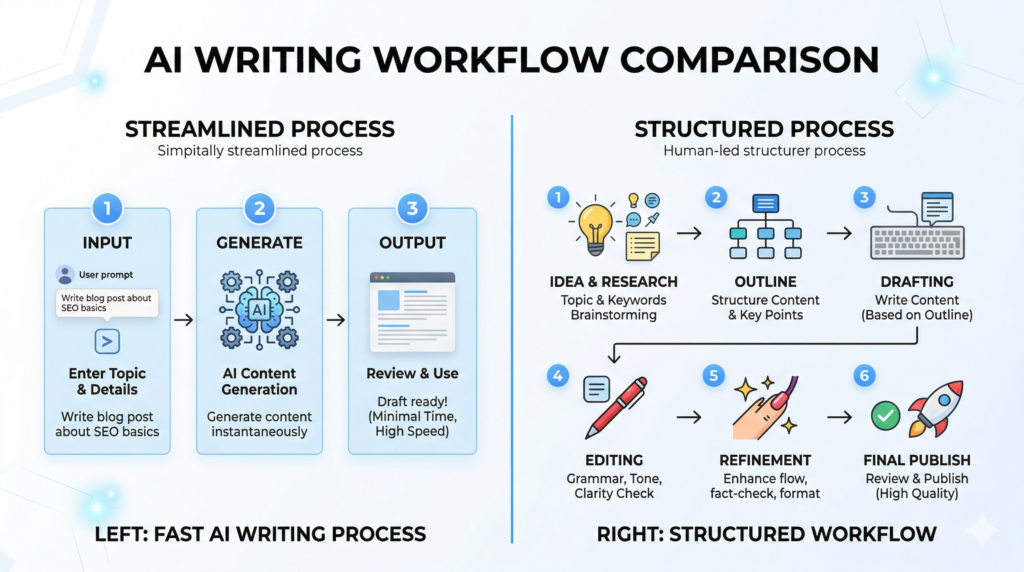
Features and pricing are useful, but they don’t show how the tools actually feel in day to day use.
So let’s break it down in a practical way.
Both copy.ai and rytr were used to create the same type of content from scratch to final draft.
Workflow steps comparison:
• Idea input: Both tools accept simple prompts to generate content
• Draft generation: Rytr generates content quickly with minimal structure
• Content expansion: Copy.ai builds more structured long-form content
• Editing stage: Rytr requires more manual editing
• Final output: Copy.ai delivers more polished drafts
Here’s what I noticed.
Rytr is faster in the early stages. You can generate content quickly without thinking too much about structure. But as you move toward final output, Copy.ai starts to feel more efficient.
That’s because it reduces the editing workload.
Speed vs Quality: Copy.ai vs Rytr Performance Analysis
Speed is one of the biggest advantages of using AI.
But speed alone doesn’t guarantee good results.
Performance comparison:
• Generation speed: Rytr produces drafts faster
• Content depth: Copy.ai creates more detailed content
• Editing effort: Rytr needs more refinement
• Consistency: Copy.ai maintains better structure
Now this is where people get confused.
They prioritize speed, but then spend extra time fixing the output. In that case, the time saved disappears.
So the real question is not just how fast the tool is. It’s how much time it saves overall.
AI Writing Performance and Reliability Comparison
Both tools rely on artificial intelligence, but their performance can vary depending on the task.
Some outputs feel natural. Others feel slightly off.
Performance factors:
• Accuracy: Both tools require fact-checking
• Consistency: Copy.ai performs better for longer content
• Reliability: Rytr is stable for short-form content
• Limitations: Both tools can produce generic ai content
From my research, this is a common pattern across many ai writing software tools.
They work well for generating ideas and drafts, but they still need human input for accuracy and depth.
Templates and Copywriting Tools Comparison
Templates play a big role in how fast you can create content.
Some tools provide ready-made templates that guide your writing, while others keep things simple.
Template comparison:
• Copy.ai templates: Designed for marketing teams and structured workflows
• Rytr templates: Focused on quick content generation
• Copywriting tools: Copy.ai offers more advanced options
• Flexibility: Rytr keeps things simple and direct
Here’s the thing.
If your goal is copywriting or marketing content, Copy.ai gives you more control. But if you just want to generate short-form content quickly, rytr is usually enough.
Best Tool for Different Content Types and Use Cases
Not every tool works the same for every type of content.
This is where most comparisons fall short. They try to declare one winner without looking at actual use cases.
Let’s keep it practical.
Best tool by content type:
• Blog posts: Copy.ai works better for structured long-form content
• Ad copy: Copy.ai performs stronger for marketing copywriting
• Emails: Both tools can generate usable drafts
• Product description: Rytr is faster for simple product content
• Social media posts: Rytr is quick and efficient
Here’s what I noticed.
If you’re focused on structured content creation, Copy.ai feels more reliable. But for quick drafts and short-form content, rytr does the job without slowing you down.
Copy.ai vs Rytr for Bloggers, Marketers, and Freelancers
Different users have different priorities.
So instead of asking which tool is better, it makes more sense to ask which one fits your workflow.
User-based comparison:
• Bloggers: Copy.ai helps create more structured blog content
• Marketer: Copy.ai supports campaigns and marketing workflows
• Freelancers: Rytr is more budget-friendly for starting out
• Small businesses: Both tools can work depending on content needs
That said, there are exceptions.
Some freelancers prefer Copy.ai for better quality, while some marketers still use rytr for quick drafts.
Which Tool Wins Based on Your Use Case
Now this is where people want a clear answer.
But honestly, there isn’t a single winner for everyone.
It depends on how you plan to generate content and what level of control you need.
Use case winners:
• Best for beginners: Rytr because of its simplicity
• Best for SEO content: Copy.ai performs better for structured output
• Best for budget users: Rytr offers lower pricing
• Best for copywriting: Copy.ai provides stronger templates
• Best for automation: Copy.ai supports workflow automation
Here’s the thing.
If your priority is saving money, rytr is the better option. If your priority is reducing editing time, Copy.ai usually makes more sense.
Beginner vs Advanced Users: Copy.ai vs Rytr
The experience can feel very different depending on your skill level.
User level comparison:
• Beginner experience: Rytr is easier to start with
• Advanced users: Copy.ai offers more advanced features
• Learning curve: Copy.ai takes more time to understand
• Flexibility: Copy.ai allows more customization
For example, a beginner might open rytr, enter a prompt, and generate content within minutes. But an advanced user might prefer Copy.ai because it gives more control over the writing process.
Can You Use Copy.ai and Rytr Together for Better Results
This is something people don’t consider often.
You don’t always have to choose one tool.
In some cases, using both tools together can actually improve your workflow.
For example, you might use rytr to generate a quick draft and then refine it using Copy.ai for better structure and tone.
That approach can balance speed and quality.
Scaling Content Production: Copy.ai vs Rytr
If your goal is to produce content at scale, the choice becomes more important.
Because scaling isn’t just about generating content quickly. It’s about maintaining quality while increasing output.
Scaling comparison:
• Bulk content: Copy.ai handles structured scaling better
• Speed scaling: Rytr helps generate drafts quickly
• Workflow support: Copy.ai supports automation
• Editing effort: Rytr increases manual work at scale
From my research, Copy.ai tends to work better for teams and agencies, while rytr is more suitable for solo creators.
ROI Comparison: Cost vs Productivity
When comparing copy ai vs rytr, ROI is where things become more practical.
Because it’s not just about how much you pay. It’s about what you get in return.
Here’s what I noticed.
People often focus on pricing first, but productivity matters just as much.
ROI factors:
• Monthly cost: Rytr starts at $9/month while Copy.ai starts at $49/month
• Time savings: Copy.ai reduces editing time
• Output quality: Copy.ai produces more structured drafts
• Workload: Rytr may require more manual refinement
In most cases, rytr works well if you want to keep costs low. But if your goal is to save time and scale content creation, Copy.ai often provides better long-term value.
Pros and Cons of Copy.ai and Rytr
Every ai writing tool has strengths and limitations.
Let’s break it down clearly.
Copy.ai pros:
• Structured output: Better for long-form content
• Workflow support: Useful for teams and automation
• Copywriting features: Strong for marketing content
Copy.ai cons:
• Higher cost: More expensive than rytr
• Learning curve: Takes time to understand
Rytr pros:
• Affordable pricing: Budget-friendly option
• Ease of use: Simple and beginner-friendly
• Fast output: Generates content quickly
Rytr cons:
• Limited depth: Not ideal for complex content
• Editing effort: Requires more manual refinement
Here’s the thing.
Neither tool is perfect. The better choice depends on how you plan to use it.
When to Choose Copy.ai Based on Your Needs
Copy.ai works best in certain situations.
Especially when you need more control over your content creation process.
Choose Copy.ai if:
• You create long-form content: Better structure and flow
• You run marketing campaigns: Strong copywriting features
• You need workflow automation: Supports structured processes
• You manage teams: Designed for collaboration
From my research, this tool is often preferred by marketers and agencies that need consistency and scalability.
When to Choose Rytr Based on Your Needs
Rytr is a better fit in different scenarios.
It focuses on simplicity and affordability.
Choose Rytr if:
• You are on a budget: Lower monthly cost
• You need quick drafts: Fast content generation
• You are a beginner: Easy to start with
• You work solo: Minimal setup required
That said, this usually works well, but not always.
If your content needs become more advanced, you might eventually outgrow rytr.
Accuracy and Limitations of Copy.ai and Rytr
AI tools are helpful, but they are not perfect.
Understanding their limitations is important if you want to avoid problems.
Common limitations:
• AI hallucination: Both tools can generate incorrect information
• Fact-checking: Manual review is still required
• Consistency issues: Output can vary depending on prompts
• Content reliability: Needs human editing
For example, sometimes AI might generate statistics that look correct but are not accurate. That’s why reviewing content is always necessary.
Real Output Example: Copy.ai vs Rytr Comparison
Prompt used:
Write an introduction for a blog on digital marketing trends
Copy.ai Output:
Digital marketing is evolving rapidly as brands adopt data-driven strategies, automation, and personalized campaigns to stay competitive in a crowded market.
Rytr Output:
Digital marketing is changing fast, and businesses need to follow new trends to stay competitive and reach their audience effectively.
Key Difference
- Copy.ai → More structured and detailed
- Rytr → Faster but more basic
What Most Copy.ai vs Rytr Comparisons Miss
Most comparisons focus only on features and pricing.
But they miss some important details.
Overlooked factors:
• Prompt quality: Better prompts improve output significantly
• Workflow differences: Tools behave differently in real use
• Editing effort: Time spent refining content matters
• Real usage gaps: Features don’t always reflect performance
Here’s the thing.
The real difference shows up when you actually use the tools, not just when you compare features.
Common Mistakes When Choosing AI Writing Tools
Choosing the wrong ai tool can lead to poor results.
But most mistakes are avoidable.
Common mistakes:
• Focusing only on price: Ignoring overall value
• Skipping testing: Not trying tools before choosing
• Ignoring workflow: Choosing tools that don’t fit your process
• Expecting perfection: Assuming AI delivers final content
Personally, I feel this is where expectations need to be more realistic.
AI helps generate content, but it still needs direction.
Frequently Asked Questions About Copy.ai vs Rytr
What is the main difference between copy.ai and Rytr?
Copy.ai focuses on robust templates and brand voice features while Rytr is an ai content creation tool built for quick short-form copy and social media captions.
Which tool is better for small business needs: copy.ai or Rytr?
For business needs, choose the right ai writing tool by matching features like templates to help and pricing plans to your workload; both are strong for different budgets.
Can I do a side-by-side comparison of features like output quality?
Yes, you can compare copy ai and rytr side-by-side by testing similar prompts and checking tone, length, and how well they hit your target audience.
Does either platform include a built-in plagiarism checker?
Copy.ai also offers content checks in some plans, but neither tool always has a full built-in plagiarism checker by default—use a separate tool if you need strict checks.
How flexible are the brand voice and templates to help maintain consistency?
Copy.ai offers a stronger brand voice feature and many templates to help maintain tone, while Rytr also provides voice presets for quick use.
Which one is faster for generating short-form copy or social media captions?
Rytr is designed to quickly and efficiently produce short-form copy and social media captions, though copy.ai can be fast with the right template.
How do pricing plans compare between the two tools?
Pricing plans vary: Rytr often has a cheaper entry option, while copy.ai supports more enterprise features in higher tiers—compare plans for your needs.
Can these tools help me write web copy and marketing emails?
Yes, both are among the best ai copywriting tools for web copy and marketing emails, with templates and prompts made to write copy fast.
Is there a free trial to try other ai writing tools before committing?
Both copy.ai and Rytr offer free tiers or trials so you can try them and decide which ai writer fits your workflow without paying up front.
Do these platforms use generative ai that feels like a single ai or many models?
Both use generative ai and internal models; Rytr uses lighter models for speed while copy.ai also supports more advanced options for varied outputs.
How do I choose between Rytr and copy.ai in an in-depth comparison?
For an in-depth comparison, list your goals, test a few prompts for your target audience, and evaluate output quality, features, and pricing side-by-side.
My Testing Verdict
In testing both tools:
- Copy.ai produced more structured and polished content
- Rytr generated content faster but required more editing
- Copy.ai saved time in long-form content
- Rytr worked best for quick drafts
The Smart AI Writing Workflow
- Generate → Rytr (speed)
- Structure → Copy.ai (quality)
- Refine → Manual editing

Final Verdict: Copy.ai vs Rytr for Content and Budget
So what does this mean for you?
Choosing between copy ai vs rytr comes down to your priorities.
If you want a budget-friendly tool that helps you generate content quickly, rytr is a strong choice. If you need better structure, workflow support, and more advanced features, Copy.ai is usually the better option.
Bottom line?
Both tools are useful. The difference is how well they fit your workflow.
If you’re just starting out, rytr can help you get going without spending much. But if you’re scaling content creation or working on marketing campaigns, Copy.ai tends to deliver better long-term results.