

Every content creator, marketer, and business owner eventually hits a wall: the sheer volume of high-quality text needed to stay competitive. Whether it’s blog posts, ad copy, product descriptions, or social media updates, the demand for fresh, engaging content never stops. This constant pressure can lead to workflow bottlenecks, slowing down your marketing efforts and impacting your bottom line. That’s where AI writing tools like Writesonic step in, promising to revolutionize your content creation process.
But with so many AI tools out there, how do you know which one truly delivers? And more importantly, how do you leverage its full potential? This article is designed to cut through the marketing jargon and give you a clear, practical understanding of the core Writesonic features explained in detail. We’ll explore not just what each feature does, but how you can use it to genuinely improve your output speed and quality, ensuring your content always hits the mark.
How Writesonic’s Core AI Writing Engine Works
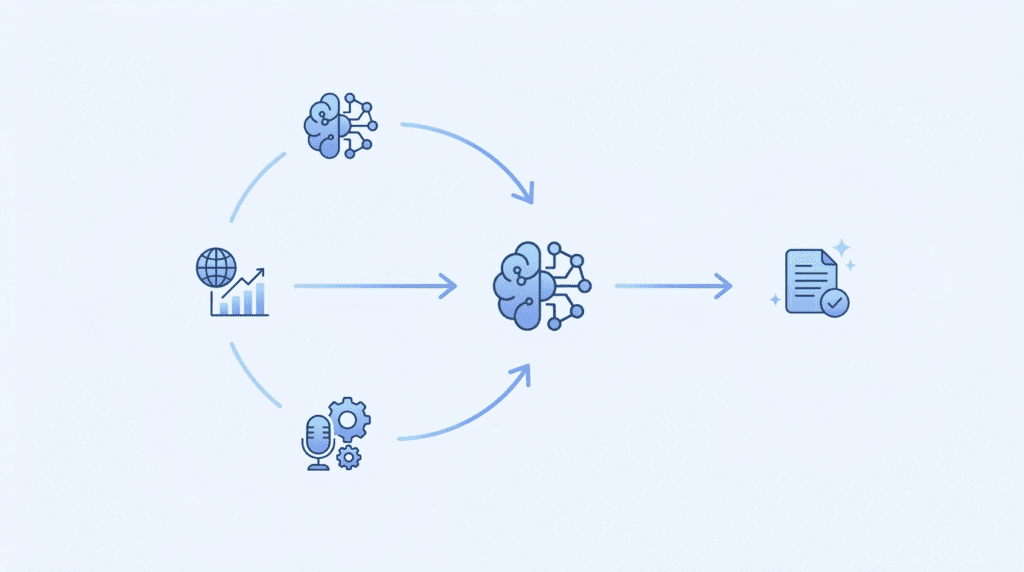
Understanding the brains behind Writesonic’s content generation isn’t about getting bogged down in technical details. Instead, it’s about grasping how the platform uses advanced AI to produce text that sounds natural, is relevant, and can even match your brand’s unique voice. This foundational technology is what powers all the specific Writesonic features explained later, making it crucial to understand the basics of what’s happening under the hood.
Understanding the GPT-4 and GPT-4 32K Foundation
At its heart, Writesonic leverages powerful language models like GPT-4 and its extended version, GPT-4 32K. Think of GPT-4 as the highly intelligent “brain” that understands language, generates creative text, and can follow complex instructions. It’s what allows Writesonic to produce coherent, contextually relevant, and often surprisingly human-like content.
The “32K” in GPT-4 32K refers to its “context window” size. In simple terms, this means it has a much larger working memory. While a standard GPT-4 model might only remember the last few paragraphs of a conversation or document, GPT-4 32K can process and remember a significantly longer piece of text – up to 32,000 “tokens” (roughly 25,000 words). For you, the user, this translates directly into the ability to generate much longer, more complex articles, reports, or even entire e-books that maintain consistency and coherence from start to finish. This is a game-changer for anyone needing long-form content, as it drastically reduces the need for constant manual oversight and editing to keep the AI on track.
What “Factual & Up-to-Date Data” Means for Your Content
One of the biggest frustrations with early AI writing tools was their tendency to “hallucinate” facts or rely on outdated information. They were often trained on data that stopped at a certain point in time, making them unreliable for current events or rapidly changing industries. Writesonic tackles this head-on by integrating access to factual and up-to-date data.
This means that when you ask Writesonic to write about a current topic, it can pull information from the web in real-time, much like a search engine. For content creators, this is invaluable. You can generate blog posts, news summaries, or product reviews that are based on the latest information, rather than having to fact-check every single sentence generated by an “offline” AI. This capability significantly boosts the trustworthiness and relevance of your AI-generated content, saving you hours of research and verification time. It’s particularly useful for SEO-focused content where accuracy and timeliness are paramount.
How Brand Voice Shapes Your AI-Generated Text
Generic AI content can often sound, well, generic. It lacks the unique personality and tone that makes your brand recognizable and relatable. Writesonic’s brand voice feature is designed to solve this common problem. Instead of just generating text, it learns and adapts to your specific brand’s communication style.
You can “train” Writesonic by providing examples of your existing content – blog posts, website copy, social media updates, or even internal communications. The AI analyzes these examples to understand your preferred tone (e.g., formal, casual, witty, authoritative), vocabulary, sentence structure, and even specific phrases or jargon you use. Once configured, Writesonic will then attempt to generate all new content in that established brand voice. This is incredibly powerful for maintaining consistency across all your marketing channels, especially if you have multiple team members generating content. It ensures that whether you’re writing a quick social media caption or a detailed whitepaper, the underlying voice remains unmistakably yours, strengthening brand identity and reducing the need for extensive editorial revisions.
The Difference Between Premium and Superior Quality Modes
When you’re generating content with Writesonic, you’ll often encounter options for “Premium” and “Superior” quality modes. Understanding the practical difference between these two is key to optimizing your credit usage and achieving the desired output. This is one of the most important Writesonic features explained for daily users.
Premium Quality Mode is your go-to for everyday content needs. It’s faster, uses fewer credits, and generally produces high-quality, coherent text that’s excellent for drafts, social media posts, email snippets, or even shorter blog sections. It’s powered by a robust AI model that’s efficient and effective for a wide range of tasks. Think of it as your reliable workhorse; it gets the job done well without breaking the bank. For many users, especially those creating a high volume of content or working on initial drafts, Premium mode is more than sufficient. It’s also a great starting point when you’re experimenting with different prompts or ideas, allowing you to iterate quickly without burning through too many credits.
Superior Quality Mode, on the other hand, taps into the most advanced AI models available, often leveraging the full power of GPT-4 32K. This mode is designed for critical content where nuance, depth, and absolute precision are paramount. While it consumes more credits and might take a little longer to generate, the output is typically more sophisticated, creative, and requires less editing. You’ll find it excels at generating long-form articles, complex reports, highly persuasive marketing copy, or content that requires a deep understanding of context and subtle linguistic cues.
When to use which:
- Use Premium for: First drafts, brainstorming ideas, social media updates, short ad copy, email subject lines, product descriptions, or when you need a high volume of content quickly and cost-effectively.
- Use Superior for: Final-stage blog posts, cornerstone content, sales pages, important email sequences, detailed whitepapers, or any content where the highest level of quality, creativity, and accuracy is non-negotiable.
The trade-off is clear: speed and cost-efficiency versus ultimate quality and depth. Many experienced users start with Premium to get a solid draft, then selectively use Superior mode for refining key sections or generating the most impactful pieces of content. This strategic approach ensures you maximize your AI output while managing your credit usage effectively.
Unlocking Long-Form Content with the AI Article Writer 5.0
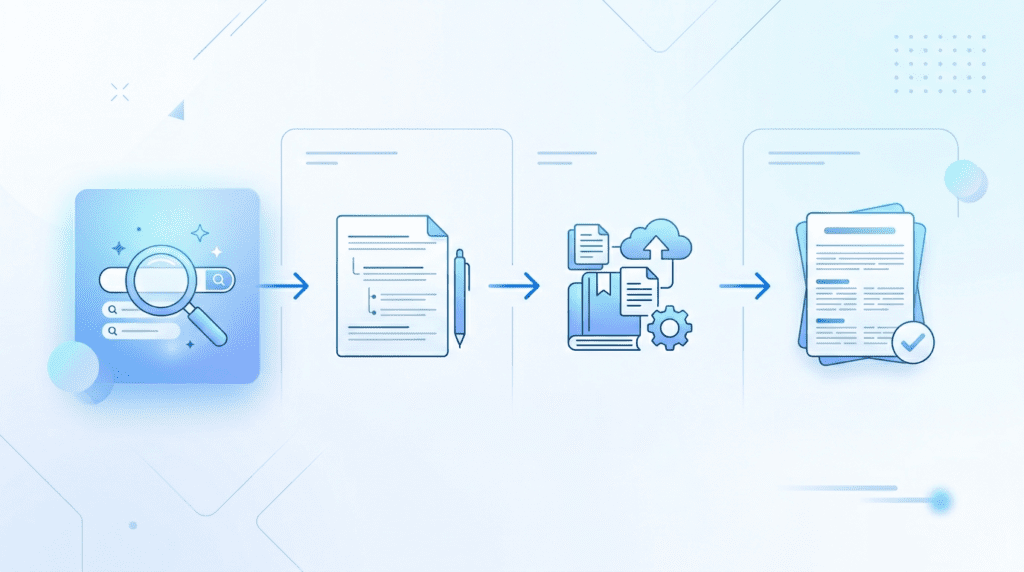
Creating lengthy, detailed articles can be one of the most time-consuming tasks for content creators, from bloggers and affiliate marketers to agencies managing multiple client accounts. Writesonic’s AI Article Writer 5.0 aims to drastically cut down this time, moving beyond simple paragraph generation to produce comprehensive, structured content. This feature is a cornerstone of how Writesonic helps users work faster and scale their content efforts.
From Keyword to Full Draft: The Article Generation Process
The journey from a basic idea to a full article with Writesonic’s AI Article Writer 5.0 begins with a simple prompt: your target keyword or topic. Unlike older AI models that required extensive manual outlining, this tool streamlines the entire process. You typically start by providing a primary keyword, like “best email marketing software for small businesses” or “how to optimize WordPress for speed.” The AI then analyzes this input, often asking for additional context such as target audience, desired tone, or specific points you want to cover.
Once you provide the necessary details, Writesonic generates an outline, complete with H2 and H3 headings. You can review and edit this outline to ensure it aligns with your vision and SEO strategy. After outline approval, the AI proceeds to write the full article, section by section. The goal is to produce a coherent, well-structured first draft that covers the topic in depth, often incorporating an introduction, main body paragraphs, and a conclusion. This entire generation process, from initial keyword to a complete draft, is designed to be highly efficient, showcasing how these Writesonic features explained can transform your content workflow.
Using Your Own Knowledge Base for Custom-Sourced Articles
One of the significant limitations of many AI writing tools is their reliance on general internet knowledge, which can sometimes lead to generic or even inaccurate content, especially for niche or proprietary topics. Writesonic addresses this with its ability to incorporate your own knowledge base. This means you can feed the AI specific URLs, documents, or even internal data sources that contain the information you want the article to be based on.
This feature is a game-changer for businesses, course creators, and agencies that need to produce content with specific, accurate, and often unique information. For example, a SaaS company can provide links to its product documentation or whitepapers, ensuring the AI generates articles that accurately describe its features and benefits. An affiliate marketer reviewing specific products can feed the AI detailed product pages or comparison charts. This capability ensures that the AI-generated content is not only original but also highly relevant and factually aligned with your specific sources, significantly reducing the need for extensive fact-checking and rewriting. It empowers users to create truly custom-sourced articles that reflect their unique expertise or product offerings.
Real-World Example: Creating a 1,500-Word Blog Post in Minutes
Imagine you’re an affiliate marketer tasked with writing a comprehensive review of “The Best Project Management Software for Freelancers.” Manually researching, outlining, and writing a 1,500-word article could easily take a full day or more. With Writesonic’s AI Article Writer 5.0, this process is dramatically accelerated.
Here’s how it might unfold:
- Input Topic: You enter “Best Project Management Software for Freelancers” into the Article Writer.
- Add Context: You might specify a target audience (solo freelancers, small teams), a desired tone (helpful, comparative), and perhaps a few key software tools you want to include (e.g., Trello, Asana, ClickUp, Monday.com). You could also provide URLs to existing review articles or product pages as your knowledge base.
- Outline Generation: Writesonic quickly generates an outline. It might suggest sections like “Why Freelancers Need PM Software,” “Key Features to Look For,” “Top 5 Software Options (with pros and cons),” and “Choosing the Right Tool for You.” You can then tweak this outline, adding or removing sections, or reordering points to better suit your SEO strategy.
- Content Generation: With the outline approved, you initiate the writing process. In just a few minutes, Writesonic delivers a full 1,500-word draft. This draft will include an introduction, detailed descriptions of each software, comparisons, and a conclusion, all structured according to your approved outline.
While the “minutes” refers to the *generation of the first draft*, this speed is invaluable. It means you’re not starting from a blank page. You have a solid foundation that’s 80-90% complete, allowing you to focus your time on refinement rather than initial creation. This is particularly beneficial for agencies needing to produce high volumes of content or bloggers looking to expand their content library rapidly.
How to Edit and Refine AI-Generated Articles for Better SEO
Generating an article in minutes is impressive, but a raw AI output is rarely ready for publication. The true power of Writesonic’s Article Writer lies in its ability to provide a strong starting point that you then refine for optimal SEO and reader engagement. This crucial editing phase ensures your content ranks well and resonates with your audience.
Here’s how to approach it:
- Fact-Checking and Accuracy: Even with a knowledge base, always verify facts, statistics, and product details. AI can sometimes hallucinate or misinterpret information.
- SEO Optimization: Review the article for keyword integration. While Writesonic aims for natural keyword use, you might need to add more long-tail keywords, LSI keywords, and ensure your target keyword, like `Writesonic Features Explained`, appears naturally in headings and body text. Check for proper H1, H2, and H3 structure. Add internal links to other relevant articles on your site and external links to authoritative sources.
- Readability and Flow: AI-generated text can sometimes feel a bit stiff or repetitive. Break up long sentences, vary sentence structure, and ensure smooth transitions between paragraphs. Use bullet points and numbered lists to improve scannability.
- Brand Voice and Tone: Adjust the language to match your unique brand voice. If your brand is witty and informal, inject that personality. If it’s authoritative and formal, ensure consistency.
- Call to Action (CTA): Strengthen the CTA in the conclusion. Make it clear what you want the reader to do next, whether it’s signing up for a newsletter, checking out a product, or leaving a comment.
- Plagiarism Check: Always run the generated content through a plagiarism checker (Writesonic often includes one, or you can use third-party tools) to ensure originality.
By dedicating time to this refinement process, you transform a fast-generated draft into a high-quality, SEO-optimized article that performs well in search engines and genuinely helps your audience.
Streamlining Your Content Workflow with Chatsonic
Chatsonic isn’t just another AI chatbot; it’s an integrated assistant within the Writesonic ecosystem designed to streamline various aspects of your content workflow. It acts as a versatile research, brainstorming, and creation tool, going beyond simple Q&A to actively contribute to your content projects.
Using Chatsonic for Brainstorming and Topic Ideation
Staring at a blank page or struggling to come up with fresh content ideas is a common frustration for content creators. Chatsonic can be a powerful ally in overcoming this. Instead of just asking for “blog ideas,” you can engage in a more dynamic conversation. For instance, you could prompt Chatsonic with: “I’m writing about sustainable fashion for millennials. Give me 10 unique blog post titles and 5 potential angles for each.” Or, “My audience struggles with email list building. What are the top 3 pain points they face, and what content topics could address them?”
Chatsonic can quickly generate a diverse range of ideas, outlines, and even different perspectives on a topic. This helps content marketers, bloggers, and even SaaS founders quickly identify relevant and engaging subjects for their audience. It’s like having a dedicated brainstorming partner available 24/7, helping you move past creative blocks and accelerate your content planning.
How to Generate Images and Artwork Directly in Chat
A standout feature of Chatsonic, which differentiates it from many standard chatbots, is its integrated image generation capability. This means you don’t need to switch between multiple tools to create visuals for your content. Within the same chat interface, you can prompt Chatsonic to generate images or artwork based on your text descriptions.
For example, if you’re discussing “the future of AI in marketing,” you could ask Chatsonic to “generate an image of a robot marketing manager presenting to a human team in a futuristic office.” Or, for a blog post on “healthy eating,” you might request “a vibrant, colorful image of a fruit and vegetable salad on a wooden table.” This feature is incredibly useful for bloggers, social media managers, and anyone needing quick, custom visuals to break up text, enhance engagement, or illustrate concepts without relying on stock photo libraries. While the quality and style can vary, it provides an immediate visual asset that can be refined or used as a placeholder, significantly speeding up the visual content creation process.
Practical Use Case: Building a Content Brief with Chatsonic
A well-structured content brief is the foundation of any successful content piece, ensuring consistency, relevance, and SEO performance. Manually compiling a comprehensive brief can be time-consuming, involving keyword research, competitor analysis, and audience profiling. Chatsonic excels at automating much of this process, making it an invaluable tool for content strategists and agencies.
Consider this scenario: you need a content brief for a new blog post titled “The Ultimate Guide to Remote Team Collaboration Tools.”
- Initial Prompt: You start by asking Chatsonic: “Create a detailed content brief for a blog post titled ‘The Ultimate Guide to Remote Team Collaboration Tools’ targeting small to medium-sized businesses.”
- Keyword Research: Chatsonic can then suggest primary and secondary keywords, including long-tail variations, based on real-time data. You might follow up with, “Suggest 10 relevant long-tail keywords for this topic.”
- Audience Insights: You can ask, “What are the common pain points for SMBs regarding remote team collaboration?” Chatsonic will provide insights into challenges like communication breakdowns, tool overload, or maintaining team morale.
- Competitor Analysis: You could prompt, “Who are the top 3 competitors ranking for ‘remote team collaboration tools,’ and what are their main content angles?” Chatsonic can provide a quick overview, helping you identify gaps or unique selling propositions.
- Structure and Tone: Finally, you can ask for a suggested outline, including H2s and H3s, and specify a desired tone (e.g., authoritative, practical, friendly).
Within minutes, Chatsonic compiles a robust content brief, complete with keywords, audience insights, competitor analysis, and a suggested structure. This significantly reduces the time spent on preliminary research, allowing you to move directly into content creation with a clear roadmap. This is one of the most powerful `Writesonic Features Explained` for optimizing the entire content production pipeline.
Comparing Chatsonic to Standard ChatGPT for Content Tasks
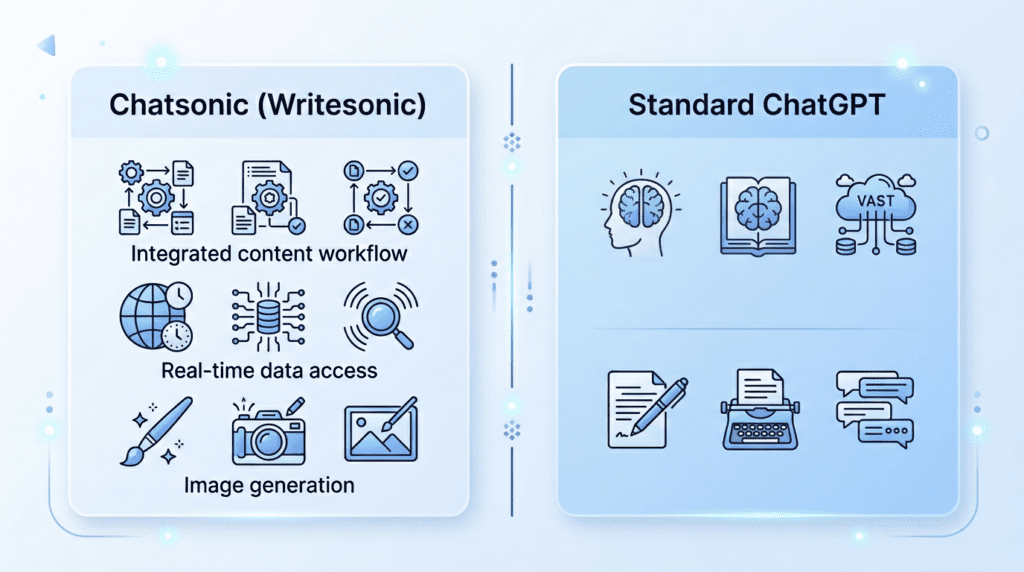
While both Chatsonic and standard ChatGPT are powerful AI chatbots, their utility for content tasks often differs due to their underlying design and integrations.
| Category | Chatsonic (Writesonic) | Standard ChatGPT (OpenAI) |
|---|---|---|
| Best For | Integrated content workflow, real-time data, visuals | General knowledge, creative writing, coding assistance |
| Real-Time Data | Yes, often includes up-to-date information | Limited to training data (typically pre-2023 for GPT-4) |
| Image Generation | Yes, can generate images directly in chat | No, requires separate tools or plugins |
| Integration | Seamlessly integrated with other Writesonic tools | Standalone, requires manual copy-pasting to other tools |
| Content Focus | Optimized for marketing, SEO, blog content tasks | Broad, general-purpose conversational AI |
| Workflow Impact | Streamlines content creation from research to visuals | Primarily for text generation and brainstorming |
Who should choose Chatsonic?
If your primary goal is to streamline your content marketing workflow, generate visuals alongside text, and access real-time information for trending topics or current events, Chatsonic is often the superior choice. Its integration with the broader Writesonic platform means you can move from brainstorming to article generation without leaving the ecosystem.
Who should choose Standard ChatGPT?
For general inquiries, coding help, or highly creative, open-ended text generation where real-time data or integrated visuals aren’t critical, ChatGPT remains a powerful and versatile tool.
The decision often comes down to your specific use case: if you’re heavily invested in content creation and need an AI assistant that’s purpose-built for that, Chatsonic offers a more tailored and integrated experience.
Creating High-Converting Copy with Landing Page & Ad Tools

For businesses and marketers, the ultimate goal of content is often conversion. Writesonic understands this, offering a suite of specialized tools designed to generate high-impact, persuasive copy for landing pages, advertisements, and other marketing materials. These `Writesonic Features Explained` are built to drive action.
How the Landing Page Generator Builds Pages from a Prompt
A landing page is a critical component of any digital marketing campaign, designed to capture leads or drive sales. Creating compelling landing page copy that converts can be challenging. Writesonic’s Landing Page Generator simplifies this by taking a few key inputs and producing a full draft of your page content.
You typically start by providing:
- Product/Service Name: What are you offering?
- Key Features/Benefits: What makes it stand out?
- Target Audience: Who are you trying to reach?
- Desired Action: What do you want visitors to do (e.g., sign up, buy now, download)?
- Tone of Voice: (e.g., professional, exciting, trustworthy).
From this information, the AI generates various sections of a landing page, including compelling headlines, benefit-driven body paragraphs, persuasive calls to action, and even sections for testimonials or FAQs. While it generates the *text*, not the visual design, having a strong copy foundation in minutes allows marketers to quickly test different messaging and focus on optimizing the page’s layout and user experience. This feature is a massive time-saver for small businesses launching new products or agencies managing multiple client campaigns.
Generating Persuasive Facebook and Google Ad Copy
Effective ad copy is concise, attention-grabbing, and highly persuasive, designed to cut through the noise and compel users to click. Writesonic offers dedicated templates for generating Facebook and Google Ad copy, understanding the specific requirements and character limits of each platform.
For Facebook Ads, you can input your product, audience, and offer, and Writesonic will generate multiple variations of primary text, headlines, and descriptions, often incorporating emojis and a conversational tone suitable for social media. For Google Ads, the focus shifts to highly targeted, keyword-rich headlines and descriptions that directly address search intent.
The value here lies in speed and variety. Marketers can quickly generate dozens of ad copy variations to A/B test, identifying which messages resonate most with their audience. This iterative process, powered by AI, allows for rapid experimentation and optimization, leading to better campaign performance and a higher return on ad spend. It helps overcome writer’s block for ad creatives and ensures a consistent flow of fresh, engaging copy.
Using the AIDA & PAS Frameworks for Marketing Copy
Effective marketing copy often follows established psychological frameworks that guide the reader through a persuasive journey. Writesonic incorporates these proven structures, such as AIDA (Attention, Interest, Desire, Action) and PAS (Problem, Agitate, Solution), into its copy generation templates.
- AIDA Framework: This classic model guides the AI to first Attract the reader’s attention, then build Interest in the product or service, foster Desire for it, and finally, prompt a clear Action. For example, an AI-generated ad using AIDA might start with a bold claim (Attention), explain a unique benefit (Interest), describe how it solves a problem (Desire), and end with a “Shop Now” button (Action).
- PAS Framework: This framework is particularly effective for problem-solving products. The AI identifies a common problem, then agitates that problem by highlighting its negative consequences, and finally presents your product or service as the ideal solution. For instance, for a productivity tool, the AI might start with the problem of missed deadlines, agitate by describing the stress and lost opportunities, and then present the tool as the ultimate solution for efficient task management.
By leveraging these frameworks, Writesonic ensures that the generated marketing copy isn’t just descriptive but strategically persuasive. This is crucial for beginners who may not be familiar with copywriting best practices, and it provides a consistent, high-quality foundation for experienced marketers looking to scale their output. Understanding these `Writesonic Features Explained` reveals how the platform integrates proven marketing psychology into its AI.
Example: Crafting a High-Impact Landing Page Headline and Body
Let’s illustrate how Writesonic can craft high-converting copy for a new SaaS product: an AI-powered email marketing assistant called “MailGenius.”
Prompt to Writesonic: “Generate a high-impact landing page headline and body copy for ‘MailGenius,’ an AI email marketing assistant. Target small business owners who struggle with writing engaging emails and managing campaigns. Focus on saving time and increasing open rates.”
Writesonic Output (Example):
Headline Options:
- “Stop Guessing, Start Converting: AI-Powered Emails That Get Opened.” (Direct, benefit-driven)
- “Your Email Marketing, Supercharged. Meet MailGenius.” (Intriguing, brand-focused)
- “Write Engaging Emails 10x Faster. Boost Your Open Rates Today.” (Numerical, action-oriented)
Body Copy (Excerpt):
“Are you tired of spending hours crafting emails that get ignored? Small business owners like you wear many hats, and email marketing shouldn’t be a constant struggle. MailGenius is your secret weapon. Our AI-powered assistant doesn’t just write emails; it crafts compelling messages designed to captivate your audience and drive action.
Imagine:
- Emails written in minutes, not hours. Free up your valuable time for what matters most.
- Subject lines that demand attention. Watch your open rates soar with AI-optimized hooks.
- Personalized content that connects. Build stronger relationships with every send.
MailGenius integrates seamlessly with your existing workflow, learning your brand voice and adapting to your campaign goals. Stop leaving money on the table with generic emails. Start sending smart, high-converting messages that grow your business.”
This example demonstrates how Writesonic quickly provides multiple headline options and a persuasive body that addresses pain points, highlights benefits, and uses clear, actionable language. It gives marketers a strong starting point to refine and deploy, significantly accelerating the launch of new campaigns and ensuring the copy is designed for maximum impact and conversion.
Automating SEO & Content Strategy with Audiosonic and Botsonic
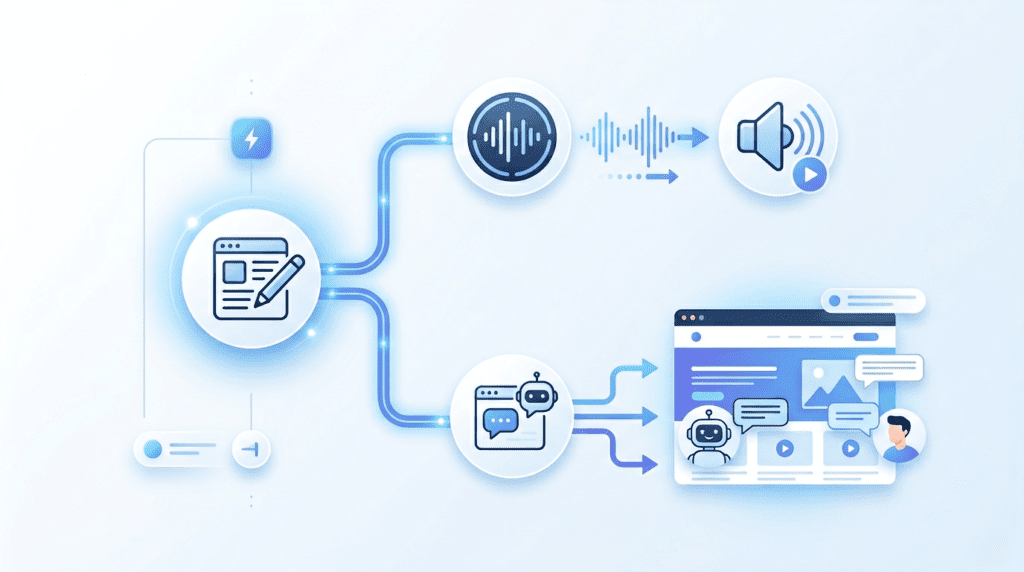
Beyond generating text and images, Writesonic extends its capabilities into content repurposing and site-specific AI automation. These advanced features, Audiosonic and Botsonic, are designed to help businesses maximize their existing content and provide instant, AI-driven support to website visitors. They represent a significant step towards a more integrated and automated content strategy, moving beyond simple content generation to full-scale content lifecycle management.
Turning Blog Posts into Podcasts with Audiosonic
Audiosonic is a clever tool that takes your written content and converts it into natural-sounding audio. For bloggers and content creators, this is a game-changer for content repurposing. Instead of just having a blog post, you can instantly create an audio version, effectively turning your article into a podcast episode or an audio summary.
Why it matters: In today’s multi-platform world, people consume content in different ways. Some prefer reading, others listening. Audiosonic lets you cater to both without doubling your workload. It’s a fantastic way to reach new audiences who prefer audio content, like commuters or those who listen while exercising.
Who benefits most: Podcasters looking for script ideas, bloggers wanting to expand their reach, and businesses aiming to offer more accessible content. It’s particularly useful for evergreen content that can be repurposed into an audio library.
Practical implications: Imagine you’ve just published a detailed guide on “Writesonic Features Explained.” With Audiosonic, you can have an audio version ready in minutes, which you can then upload to podcast platforms, embed on your blog, or even use for social media snippets. This significantly extends the life and reach of your content. The main trade-off is that while the AI voice is good, it won’t have the unique inflection or personality of a human speaker, so some users might still prefer professional voiceovers for highly branded content.
How Botsonic Creates a Custom ChatGPT for Your Website
Botsonic allows you to build a custom AI chatbot, essentially a ChatGPT tailored specifically to your website’s content and brand. Instead of a generic AI, Botsonic learns from your provided data – your website pages, documents, FAQs, and even specific knowledge bases – to answer user questions accurately and in your brand’s voice. This means it understands your products, services, and policies intimately.
Using Botsonic for Customer Support and Lead Generation
The practical applications of Botsonic are vast, especially for customer support and lead generation. For customer support, it can handle common inquiries 24/7, freeing up your human support team for more complex issues. This reduces response times and improves customer satisfaction. For lead generation, Botsonic can engage visitors, answer their initial questions, qualify leads based on their responses, and even guide them towards specific products or services. It can collect contact information and pass it directly to your sales team, acting as a tireless virtual assistant.
The Practical Value of an AI-Powered Chatbot on Your Site
Having an AI-powered chatbot like Botsonic on your site offers immense practical value. It addresses several common pain points for businesses and their customers. For businesses, it means improved efficiency, reduced operational costs for support, and a constant presence for lead capture. For customers, it means instant answers, personalized assistance, and a smoother user experience, especially outside of business hours.
However, it’s important to understand the trade-offs. While Botsonic can handle a high volume of queries, it still relies on the quality and completeness of the data you feed it. If your knowledge base is outdated or incomplete, the bot’s answers will reflect that. It also lacks the empathy and nuanced understanding of a human, so complex or emotionally charged customer issues will still require human intervention. The real power comes from using it as a first line of defense, handling the 80% of common questions, and escalating the remaining 20% to your team.
Who Benefits Most from Writesonic’s Feature Set?
Understanding who truly gains from Writesonic’s diverse capabilities is key to deciding if it’s the right tool for your business. The platform isn’t a one-size-fits-all solution, but its broad array of Writesonic features explained here means it serves several distinct user groups exceptionally well.
For Bloggers & Content Creators: Speeding Up Drafts and Ideation
Bloggers and content creators often face the daunting task of generating fresh ideas and churning out consistent, high-quality content. Writesonic becomes an invaluable assistant here. It excels at brainstorming blog post ideas, generating outlines, and creating initial drafts for articles, saving hours of staring at a blank page. The AI Article Writer 5.0, in particular, can produce a substantial first draft in minutes, which creators can then refine and inject with their unique voice. This dramatically speeds up the content creation process, allowing them to focus more on strategy, research, and adding that human touch that truly resonates with their audience. It’s perfect for those who need to maintain a high publishing frequency without sacrificing quality.
For Marketing Teams: Scaling Ad Copy and Landing Page Production
Marketing teams, especially those managing multiple campaigns or clients, constantly need fresh, compelling ad copy and landing page content. Writesonic’s specialized tools for Facebook Ads, Google Ads, and landing page generation are a huge asset. They can quickly generate multiple variations of headlines, body copy, and calls to action, allowing teams to A/B test and optimize their campaigns much faster. This scalability is crucial for agencies or in-house teams that need to produce a high volume of marketing assets without expanding their copywriting staff. The ability to generate copy based on proven frameworks like AIDA and PAS ensures the output is designed for conversion, directly impacting campaign performance.
For SEO Agencies: Automating Keyword Research and Brief Creation
SEO agencies are always looking for ways to streamline their workflow and deliver better results for clients. While Writesonic isn’t a dedicated keyword research tool, its integration with SEO principles and its ability to generate content briefs make it highly beneficial. Agencies can use it to quickly generate article outlines based on target keywords, ensuring key topics are covered. The platform helps in creating SEO-optimized content by guiding the AI to include relevant terms and structure. This automation frees up SEO specialists to focus on deeper analysis, strategy, and client communication, rather than the time-consuming initial stages of content creation. It helps ensure that the content produced is not just good, but also aligned with search engine best practices.
For Small Business Owners: An All-in-One Content Solution
Small business owners often wear many hats, including content creator, marketer, and customer support. Writesonic offers an all-in-one solution that can significantly reduce their workload. From generating website copy and product descriptions to crafting social media posts and email newsletters, the platform covers a wide range of content needs. Features like Botsonic can even handle basic customer inquiries, providing 24/7 support without hiring additional staff. For a small business with limited resources, Writesonic provides access to professional-grade content creation and automation tools that would otherwise be out of reach, allowing them to compete more effectively in the digital landscape. It’s about getting more done with less, enabling them to focus on their core business while maintaining a strong online presence.
Honest Take: Where Writesonic’s Features Excel and Where They Fall Short
Every tool has its strengths and weaknesses, and Writesonic is no exception. A balanced perspective helps users set realistic expectations and leverage the platform most effectively. After exploring the various Writesonic features explained throughout this article, it’s clear where it shines and where users might encounter limitations.
The Biggest Strength: The All-in-One Content Workflow
Writesonic’s most significant strength lies in its comprehensive, all-in-one content workflow. Unlike many AI tools that specialize in one area, Writesonic offers a vast array of templates and features that cover the entire content lifecycle – from ideation and research (Chatsonic) to long-form article generation (AI Article Writer 5.0), marketing copy (ad and landing page tools), and even repurposing (Audiosonic) and customer support (Botsonic).
This integrated approach means users don’t have to jump between multiple platforms, saving time and reducing friction in their content creation process. The ability to maintain brand voice across different content types and leverage custom knowledge bases further solidifies its position as a powerful, centralized content hub. For anyone looking to streamline their entire content operation, this breadth of functionality is a massive advantage.
Potential Limitation: The Learning Curve for Advanced Features
While Writesonic aims for user-friendliness, the sheer depth of its features means there can be a learning curve, especially for its more advanced functionalities. Beginners might find the initial setup for Brand Voice, Custom Knowledge, or fine-tuning Botsonic’s responses a bit overwhelming. It’s not always as simple as “click and go.” Getting the best output often requires understanding how to craft effective prompts, selecting the right templates, and knowing how to guide the AI. Users who expect instant, perfect results without any input or refinement might get frustrated.
The platform offers tutorials and support, but investing time in learning these nuances is crucial to unlock its full potential. This isn’t necessarily a flaw, but an expectation management point for new users.
Hidden Trade-Off: Balancing Speed vs. Human Oversight
Writesonic undeniably offers incredible speed in content generation. You can produce drafts, copy, and even full articles in minutes. However, a hidden trade-off often overlooked by new users is the necessity of human oversight. While the AI generates impressive content, it’s rarely perfect out of the box. It might require factual checks, stylistic edits, tone adjustments, and a final polish to truly align with your brand’s voice and specific goals. Relying solely on AI-generated content without human review can lead to inaccuracies, generic phrasing, or a loss of authenticity.
The goal isn’t to replace human writers entirely, but to empower them to work faster and more efficiently. The most successful users understand that Writesonic is a powerful co-pilot, not an autonomous content machine.
What Most New Users Miss: The Power of Brand Voice and Custom Knowledge
Many new users jump straight into generating content without fully exploring or setting up Writesonic’s Brand Voice and Custom Knowledge features. These are often underestimated but incredibly powerful aspects of the platform. Brand Voice allows the AI to learn and replicate your specific tone, style, and vocabulary, ensuring consistency across all generated content. Custom Knowledge lets you feed the AI your unique data, making its responses highly relevant and accurate to your specific business, products, or services. Ignoring these features means you’re only tapping into a fraction of Writesonic’s capabilities, often resulting in more generic output that requires heavier editing.
Investing the time to properly configure these settings upfront dramatically improves the quality and relevance of the AI’s output, making the entire content creation process far more efficient and effective in the long run.
Final Recommendation: Is Writesonic the Right AI Tool for You?
After exploring Writesonic’s comprehensive capabilities, from its core content generation to advanced automation with Audiosonic and Botsonic, the decision to integrate it into your workflow hinges on your specific goals and operational scale. Writesonic truly excels as an all-in-one content solution, particularly for those looking to streamline their entire content lifecycle.
Choose Writesonic if:
- You’re seeking an end-to-end content platform: If your objective is to move beyond disparate tools and consolidate ideation, drafting, optimization, repurposing, and even custom AI interactions (via Botsonic) into a single ecosystem, Writesonic offers unparalleled breadth. Its “all-in-one content workflow” is its biggest strength, as previously discussed.
- You prioritize scaling content production: For marketing teams, agencies, or prolific content creators, the ability to rapidly generate diverse content types – from blog posts and ad copy to landing pages – is a significant advantage. The automation features, including Audiosonic for repurposing, are designed to accelerate output.
- You value custom AI interactions and brand consistency: The power of Botsonic to create a custom ChatGPT for your website, infused with your brand voice and knowledge, is a game-changer for customer support and lead generation, offering a unique competitive edge.
- You’re willing to invest in mastering advanced features: While there can be a “learning curve for advanced features,” the payoff in efficiency and capability is substantial for users who commit to exploring its full potential, including custom knowledge bases and brand voice settings.
Consider alternatives or a more focused tool if:
- Your content needs are highly niche or infrequent: If you only occasionally require basic content generation and don’t need the extensive suite of tools for automation, repurposing, or custom chatbots, a simpler, more specialized tool might suffice.
- You’re not prepared for human oversight: As highlighted in the “balancing speed vs. human oversight” discussion, while Writesonic dramatically speeds up content creation, human review and refinement remain crucial for accuracy, nuance, and brand alignment. If you expect a fully hands-off solution for publication, you may find it falls short.
Ultimately, Writesonic is a powerful investment for individuals and teams committed to leveraging AI for a holistic, efficient, and scalable content strategy. Its strength lies in its ability to integrate numerous content tasks, transforming how you create, manage, and deploy your digital presence.
Frequently Asked Questions (FAQs)
Does Writesonic offer a free trial to test these features?
Yes, Writesonic typically provides a free trial that includes a limited number of credits, allowing users to test various features before committing to a paid plan.
How does Writesonic’s pricing relate to its feature access?
Writesonic operates on a tiered pricing model where higher-tier plans unlock more advanced features, increased word counts, and greater access to premium tools like Botsonic and Audiosonic.
Can I integrate Writesonic with other tools like WordPress or Zapier?
Yes, Writesonic offers integrations with popular platforms such as WordPress for direct publishing and Zapier for connecting with thousands of other applications, streamlining your workflow.
How much editing is required for content created with the AI Article Writer?
While the AI Article Writer produces well-structured drafts, some editing is generally required to ensure factual accuracy, align with your specific brand voice, and add unique insights or nuances that only a human can provide.
Is the content generated by Writesonic truly plagiarism-free?
Writesonic aims to generate original content, and it includes a built-in plagiarism checker; however, it’s always recommended to conduct your own checks and review the output for originality, especially for critical content.